

serverRender scripts receive two objects that make columns showing linked work items much faster on large sheets:
Both are available since Risksheet 26.11.0, in every
serverRender script next to the other context variables. For a worked example, see Speed Up Server-Render Columns with the Document Tree.
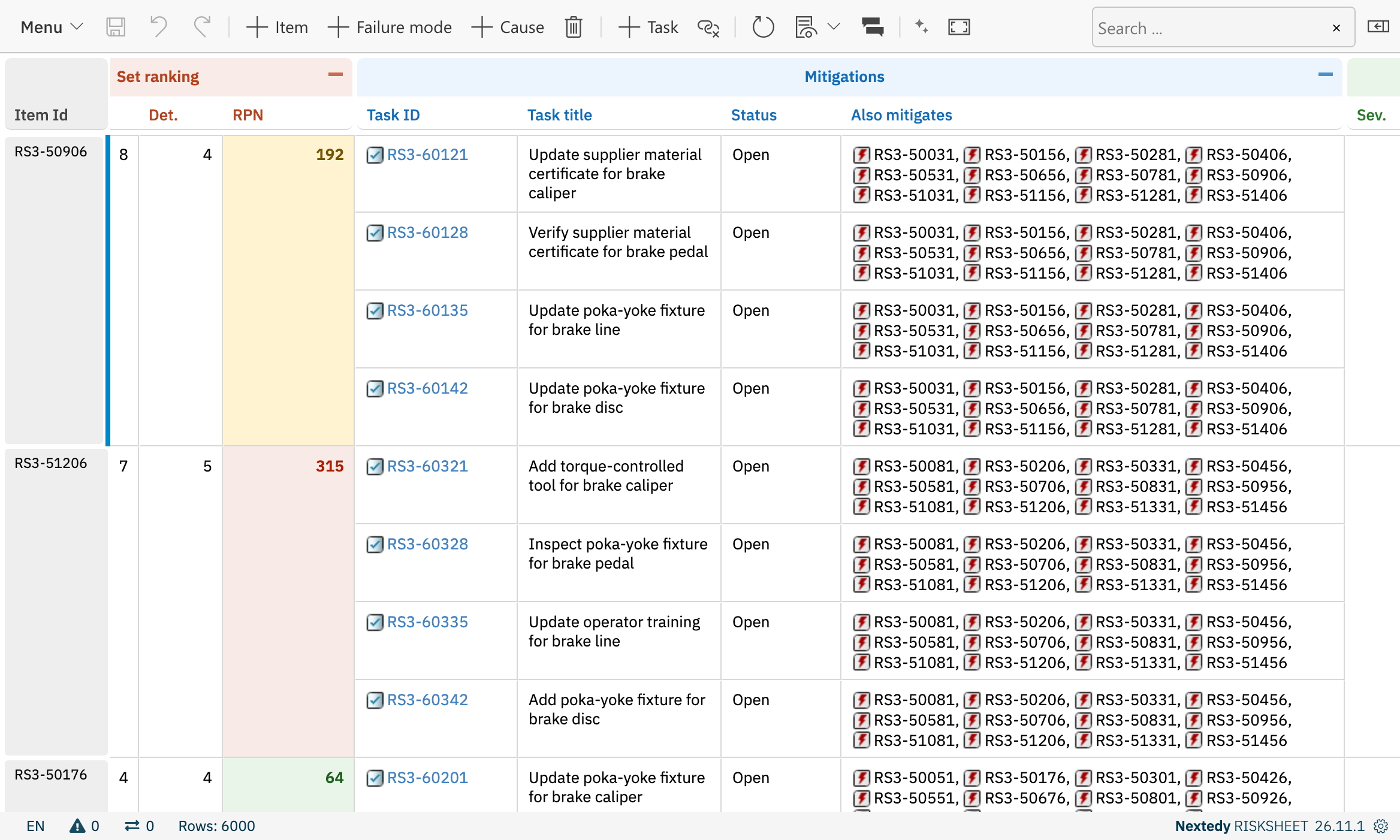
A task column built with the document tree and the link renderer, listing the risk items each control mitigates.
$tree — Describe the Tree
A tree starts at a document and adds one level per hop. Every call returns a new description, so a partly built one can be kept in a variable and reused.
Type and role IDs are trimmed, so
['risk', ' task'] matches task.
The Loaded Tree
Items the user may not read, and items that no longer exist, are left out of every list. Field values of the returned items are read with the user’s permissions, as with
$item.
IDs are ordered by their prefix and then by their number, so RSK-99 comes before RSK-100.
After a Save
After a save,roots() of a tree that starts at the sheet’s risk items returns only the saved risk items until the sheet is reloaded. A script that lists all risk items of the document through roots() shows the full list again after the next reload.
Revisions and Baselines
On a document opened in a revision or a baseline,load() reads the links as they were in that revision. Where the links of that revision cannot be read, the tree is empty rather than showing today’s links, and the Polarion server log says so.
Size Limit
A tree holds at most 500,000 rows, counting every item of the root level and every link it reaches, across all levels. A tree beyond the limit is empty, and the Polarion server log names the limit. Administrators can change it by addingnextedy.risksheet.tree.maxRows=<rows> to polarion.properties and restarting Polarion. A higher limit lets a larger tree use more server memory.
$render — Render a Link
The options can be chained, for example
$render.target('_blank').withTitle(false).link($r). link(...) accepts $item, the items $tree returns and work items or documents from the older Polarion API, and renders nothing for an empty value or an item that cannot be resolved.
The links look the same as the sheet’s own link cells with global.simpleLinks turned on.
See Also
- Speed Up Server-Render Columns with the Document Tree — rewrite a column step by step
- Server Render Columns — column properties and the other context variables
- Velocity Template Context — Velocity context across Risksheet templates
- Large Sheets — where the load time of a large sheet goes