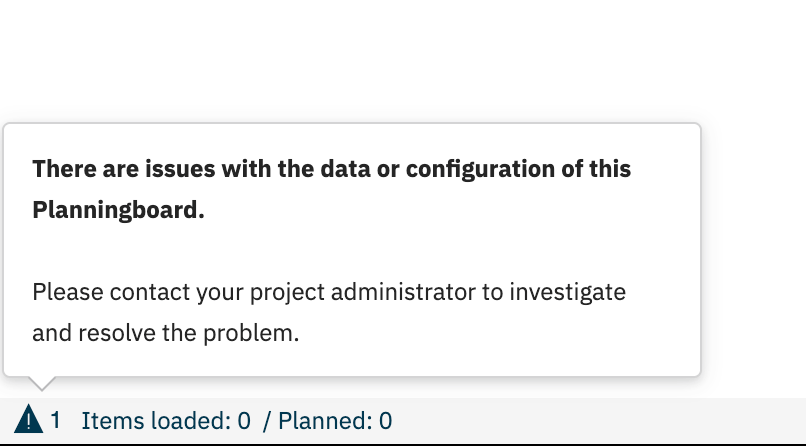
Board loads indefinitely (infinite spinner)
If the board never finishes loading and the spinner keeps running, the most likely cause is a network or firewall issue blocking Planningboard’s requests, not a product defect. Steps to diagnose:- Open your browser’s developer tools (F12) and switch to the Network tab.
- Reload the page containing the Planningboard widget.
- Look for requests with status ERR_BLOCKED, ERR_CONNECTION_REFUSED, net::ERR_FAILED, or that hang without a response.
- If blocked requests appear, escalate to your IT/network team — a corporate firewall or proxy is likely filtering the Polarion server’s internal API calls.
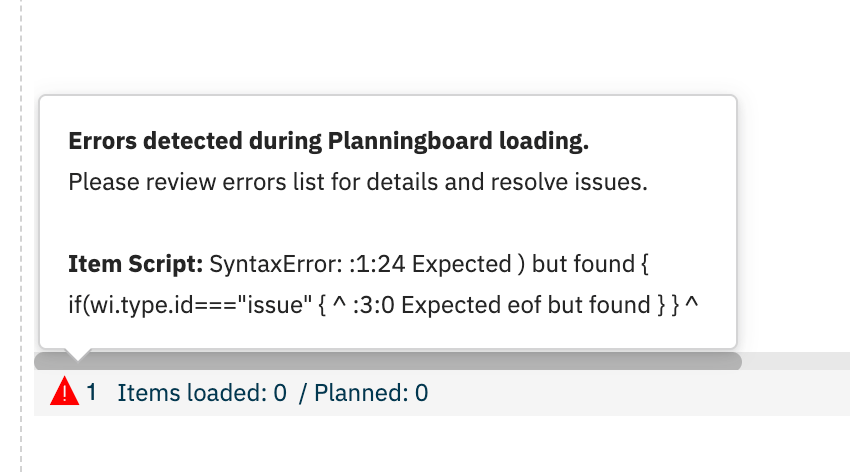
- If no blocked requests appear, check the Console tab for JavaScript errors (see Script Errors).
Clicking a swimlane expands the wrong one
When you click to expand a swimlane, a different swimlane (often the last one in the list) expands instead. This is a known intermittent UI issue affecting Google Chrome. Microsoft Edge handles this correctly. Workaround:- Switch to Microsoft Edge for Planningboard sessions that require frequent swimlane interaction.
- If you must use Chrome, try refreshing the board using the Refresh button before expanding swimlanes — this resets the board’s internal state.
- If the issue persists in Chrome, scroll the swimlane list so the target swimlane is fully visible before clicking.
”Field is not enumeration” error on swimlane configuration
This error appears when configuring enumeration-based swimlanes and the selected field is not recognized as a valid enum type. Supported field types for ENUM assignment mode:- Fields of type
IEnumType - List fields (
IListType) where list items are of typeIEnumType
statusresolutiontype(work item type)
- In the widget configuration, locate the Resource Field selector (visible when Assignment Mode is set to
ENUM). - Verify the selected field is a custom enumeration field — not
status,resolution, ortype. - If using a project-specific enum field, confirm it is registered at the global field level in Polarion administration. Project-local fields may not resolve correctly.
- After correcting the field selection, save the widget configuration and rebuild the board configuration by reloading the page.
- If the error persists after a field change, clear the Polarion server cache (Administration > Maintenance > Clear Caches) and reload.
Multi-enum swimlane support
Grouping swimlanes by a multi-valued enumeration field (where a work item can belong to more than one enum value simultaneously) is not yet fully supported. The feature gap was acknowledged by the product team and is planned for release. Until it ships, work items that have multiple values in the swimlane grouping field may not appear in all expected swimlanes, or the configuration may produce a validation error. Current workaround:- Use a single-value enumeration field for swimlane grouping.
- For resource capacity management across multiple teams or components, consider User and Assignee Swimlanes as an interim approach.
Plan creation and unplanned sidebar not visible
If the Create New Plan button or the Show Unplanned button is missing from the board toolbar, the most likely cause is that your Polarion user account does not have a Planningboard license assigned. Planningboard enforces license-based access control:
Steps to resolve:
- Ask your Polarion administrator to check whether your account has a Planningboard license assigned (Administration > Nextedy PLANNINGBOARD > Licenses).
- If you are an administrator, see License Count and Warnings for license assignment steps.
- If you have a license but these controls are still hidden, reload the page using the browser refresh (not the board Refresh button) to pick up the updated license state from the server.
Drag and drop does not save changes
Cards appear to move when dragged but snap back to their original position after the drop, or the change is not visible after a page reload. Common causes and fixes:- Unlicensed user — Drag and drop is blocked for users without a Planningboard license. The card animates but the assignment is not persisted. See the section above.
- Read-only mode active — If the board is configured in read-only mode, all editing operations including drag and drop are disabled. Check the widget configuration for a read-only parameter.
- Insufficient Polarion permissions — The user needs write permission on the work items being moved. Check Polarion role assignments for the affected project.
- Plan date range mismatch — Work items are assigned to plans based on
start_dateandend_date. If the target plan’s date range does not encompass the work item’s dates, the assignment may be rejected silently.
Capacity bar shows no data or incorrect values
The capacity bar appears empty or shows values that do not match expected effort. Steps to diagnose:- Confirm that Capacity Load is enabled in the widget configuration (
capacityLoadparameter). - Verify that the work items on the board have
remainingEstimateorinitialEstimatevalues set. If neither field has data, the capacity bar will be empty. - If using a custom capacity field (
capacityField), confirm the field ID is spelled exactly as it appears in the Polarion field configuration — the parameter is case-sensitive.
Diagnostic flow

Verification
After applying a fix, use the board’s Refresh button to reload the current state from the server without a full page reload. You should now see the board load completely, swimlanes expand to the correct row, the expected toolbar buttons appear, and card moves persist after a page reload.