

The Problem: Capacity That Belongs to No One
The Teams Service models a team as a set of assignment work items, each naming a person and the period they belong to the team. Capacity is then the sum of what those people can deliver. That model breaks down as soon as a team is partly staffed by an organizational unit rather than by named individuals. A validation department, a shared test lab, or an external supplier is often represented in Polarion as a single work item in a resource breakdown structure — not as a set of user accounts. An assignment pointing at such a work item names no assignee at all. Planningboard used to charge every team assignment to its assignees. An assignment with no assignee therefore contributed nothing, and the board reported a smaller capacity than the Project Team Assignments Gantt reported for the same team over the same dates. The number a planner saw depended on which screen they opened.What Changed
Team capacity and per-user capacity are now computed by the Gantt plugin’s teams service rather than by Planningboard itself, so the board and the Gantt report the same figure for the same team over the same date range — and a department-level assignment counts on both. Planningboard keeps its own assignee-only implementation as a fallback for the cases described in When the delegation does not happen.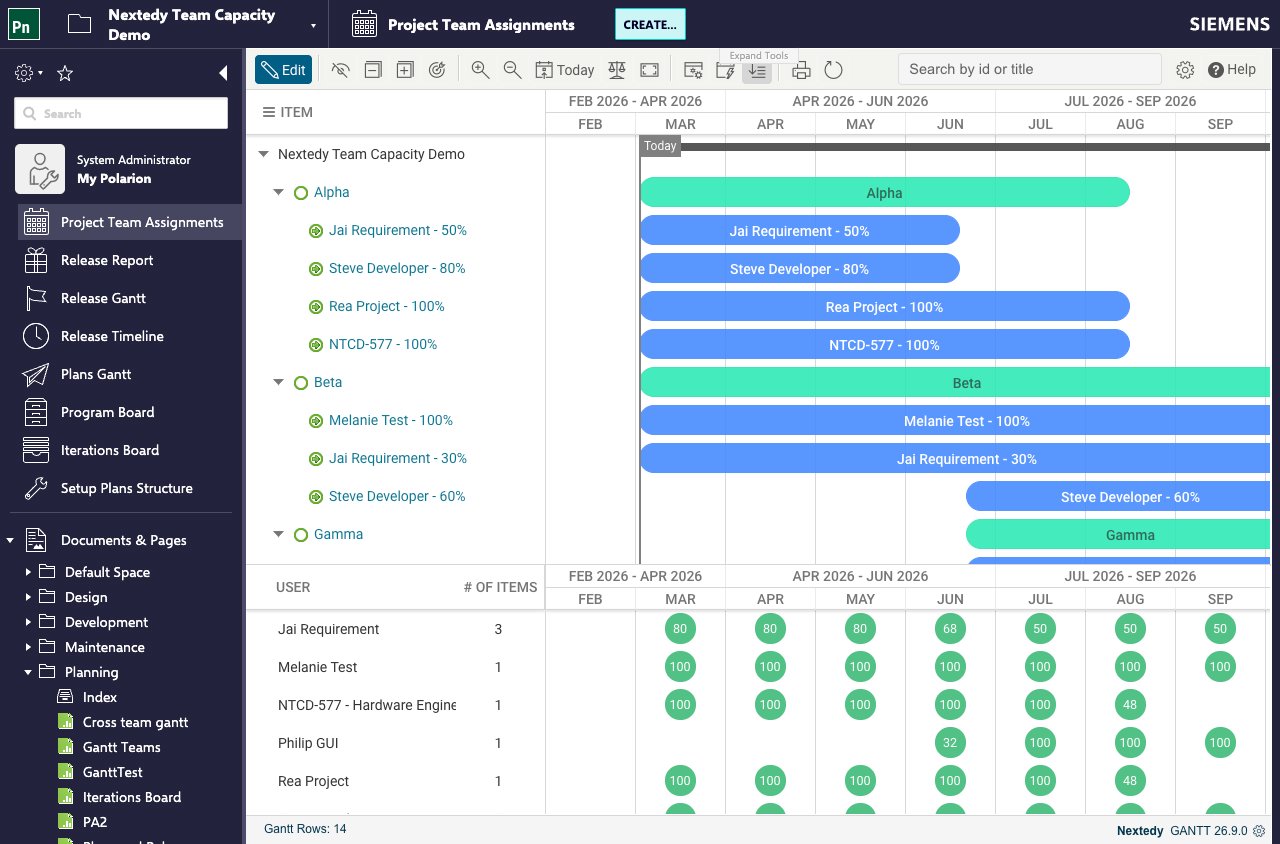
What Makes an Assignment “Department-Level”
An assignment is department-level when the teams service can resolve no user members from it. Two fields are read, in this order:- The assignment’s Resource field — the work item field the Gantt is configured to read as the resource. In a default configuration that is the assignment’s own
resourcefield, named bynextedy.gantt.workitems.default.resource_field; a Gantt widget can also be pointed at a different resource field in its own parameters. - Only if the resource field is empty, the assignment’s own assignee field.
Nothing about the assignment work item changes. The same team assignment type, the same
from and to dates, the same % Assignment value (the capacity field). Whether it behaves as a person or as a department depends only on whether a Polarion user can be resolved from it.How the Hours Are Derived
An assignment with no resolvable members is placed on a standing working calendar: Monday to Friday count as working days, Saturday and Sunday contribute zero. No personal absences are subtracted from it, because there is no person whose absences could be read — a department is a standing pool of effort, not an individual. How much the department contributes on each of those working days comes from an absolute hours-per-working-day value held on the resource work item itself, instead of from the working day a person’s own calendar supplies. Two properties tell the Gantt which field carries that value and how to read it:department work item carries a custom field rendered as Capacity (hours per working day). A department whose value is 40, contributes 40 hours on every working day inside the assignment’s from–to range — five times what a person at % Assignment 100 contributes.
The two paths therefore read different fields for the same question:
The board shows the result in working days, at eight hours to a day — which is why a department at 40 hours per working day reads as five full-time equivalents. Set
nextedy.planningboard.durationUnit=hours to show raw hours instead.
Over a ten-working-day range, a person at % Assignment 100 on a standard eight-hour calendar contributes ten full working days, and a department at 40 hours per working day at the same % Assignment contributes fifty.
Capacity Modifiers Still Apply
Whennextedy.gantt.useTeamCapacityModifiers is enabled for the project, the team’s two capacity modifier fields reduce a department-level assignment exactly as they reduce a member’s:
capModB term is skipped for dates that fall within nextedy.gantt.capacityModifierBFieldDayLimit days of today, so a near-term reduction does not distort the sprint currently being planned.
With modifiers of 10% and 10% over a ten-working-day range, a person at % Assignment 100 reports 10 × 1.00 × 0.8 = 8 days, and a department at 40 hours per working day reports 10 × 5 × 0.8 = 40.
Membership Is Not Affected
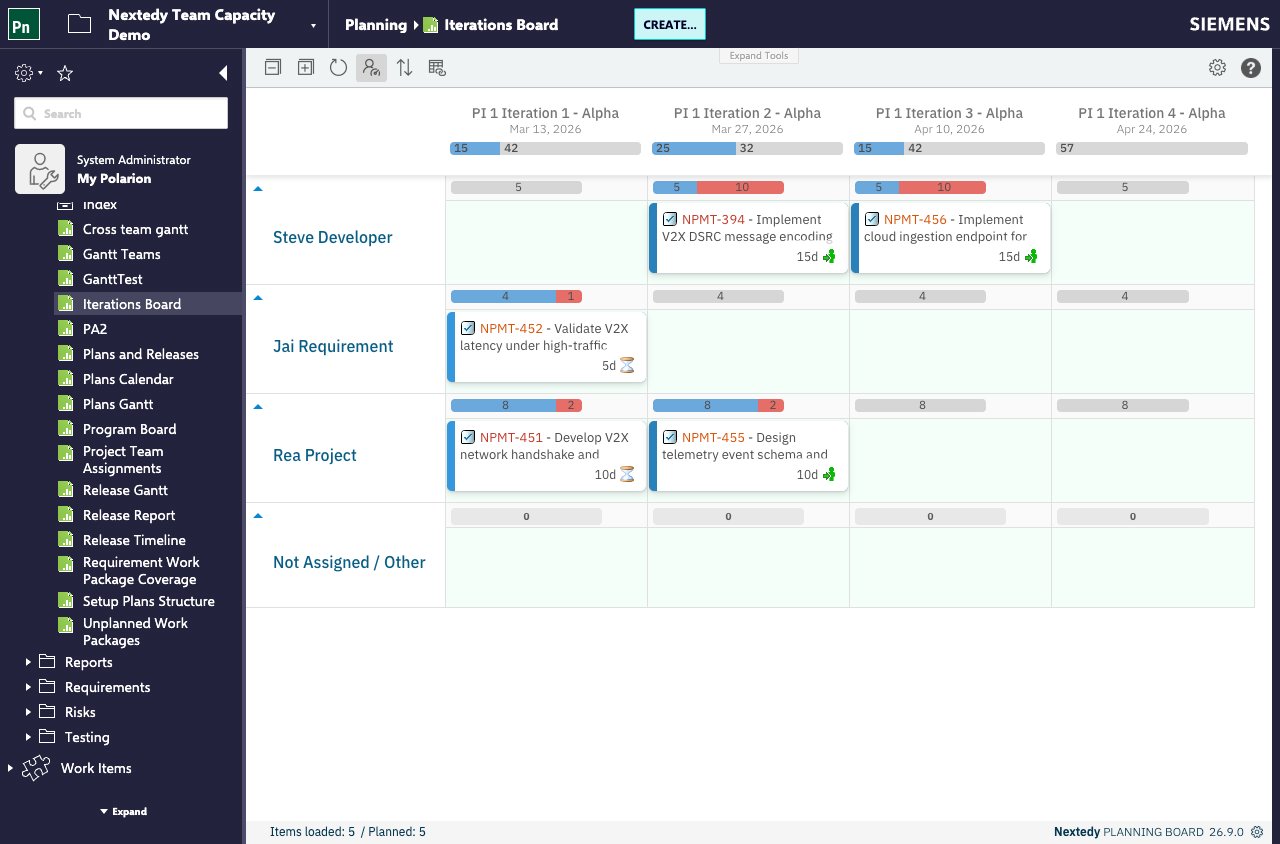
Capacity and membership are separate questions, and only capacity changed. A department-level resource still produces:- No swimlane. It is not a user, so there is no row to drag cards into.
- No line in the per-user capacity breakdown. The tooltip lists people, and a department is not one.
When the Delegation Does Not Happen
Which engine computes capacity depends on one thing: whether the Nextedy GANTT plugin is installed on the same Polarion. With it, team and per-user capacity come from its teams service. Without it, the board logs that the Gantt teams service is unavailable and falls back to its own assignee-only arithmetic, in which a department-level assignment contributes nothing.nextedy.planningboard.useTeamsService is a different question. It decides whether the board uses team assignments for capacity at all; with it set to false the board shows each plan’s own capacity field instead — not assignee-only arithmetic, and not zero.
The fallback produces no error on the capacity bar: the board shows the assignee-only figure, so a team whose capacity is entirely department-level reads as zero rather than as a failure. That silent zero is the symptom to recognize when the Gantt plugin is missing.
A team shared through a supporting project keeps working. The identifier handed to the Gantt is the work item id the board already resolved, so remapped team ids from supporting projects stay resolvable on the Gantt side.
Refreshing the board
After editing a resource’s Capacity (hours per working day) value or a team assignment, re-read the board’s data with the Refresh data button in the board toolbar. The project administration pages for Nextedy PLANNINGBOARD offer no separate cache action.Related Concepts
- Teams Service — the team and membership model this capacity is computed from
- Capacity Tracking — how the capacity bar reflects effort against available capacity
- Track Department Capacity — the configuration steps
- Teams Service Properties — reference for the properties named on this page