

The Core Problem: Derived vs. Stored Assignment
On a simple Kanban board, moving a card from one column to another is a direct write: the card’s status field is updated and the card stays where you dropped it. Planningboard works differently for some swimlane modes because the swimlane a card appears in is derived from the card’s field values — it is not an independent piece of board state. Consider a board where swimlanes represent assignees. The swimlane a card appears in is determined by the work item’sassignee field. If you drag the card to a different swimlane, Planningboard updates the assignee field on the underlying work item — the board then re-derives the swimlane from the updated field. The visible result is the same, but the mechanism matters: the board is always a read-consistent projection of your Polarion data, not a separate ordering layer.
Normalization is what happens during that re-derivation step. It ensures that after any change — a drag-and-drop, a field edit in Polarion, or a board refresh — each card ends up in exactly the swimlane(s) consistent with its field values.
Assignment Modes and Normalization Behavior
Different swimlane assignment modes have different normalization behaviors because the underlying field types differ.
Multi-Valued Fields: One Card in Many Swimlanes
A key aspect of normalization that surprises many users is what happens with multi-valued fields. When a work item has two assignees — say, Alice and Bob — Planningboard does not arbitrarily pick one swimlane. Instead, it displays the card in both Alice’s row and Bob’s row simultaneously.
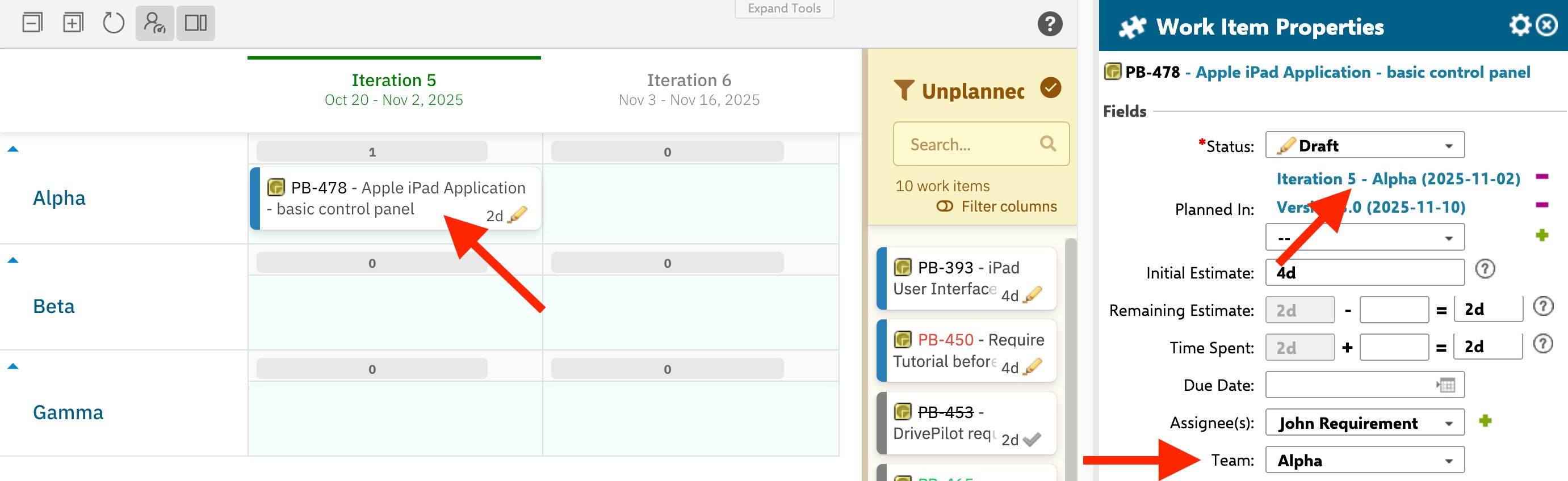
team: alpha and team: beta) appears in both swimlanes.
The Not Assigned/Other Row
Planningboard always provides a Not Assigned/Other swimlane row for items that have no value in the grouping field. This row is the normalization target when you want to remove a value:- Dragging a card from Alice’s row to Not Assigned/Other removes Alice from the item’s multi-user field — it does not clear all assignees. Bob remains.
- Dragging a card from the
alphaenum lane to Not Assigned/Other removes thealphavalue from the multi-enum field — other enum values remain.
Plan Cells Mode (planCellsMode)
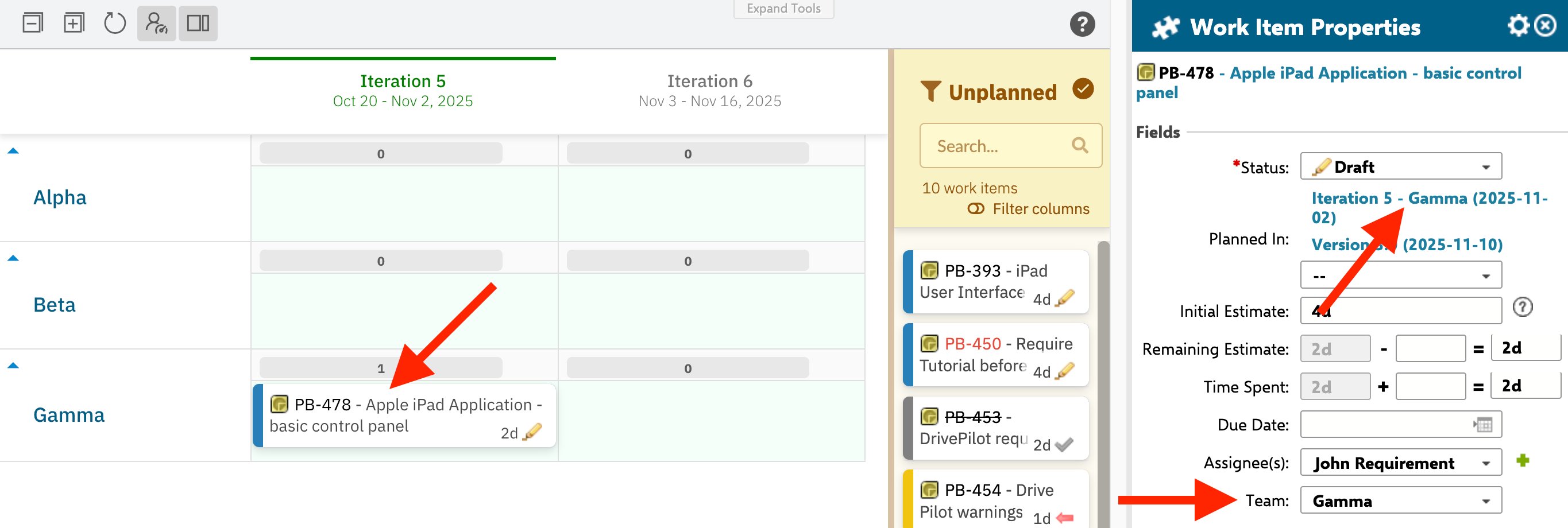
Standard board mode assigns each card to a Plan (column) and a swimlane (row) independently. Plan cells mode (planCellsMode) introduces a tighter constraint: a card belongs to a specific cell — the intersection of a Plan column and a swimlane row — and the board enforces that pairing.
Plan cells mode is activated when using stemming-based planning or SAFe plan modes. In these modes, the Plan a work item belongs to and the resource (swimlane) it belongs to are encoded together — for example, in a resource field that pairs a team with a sprint. Normalization in this mode means the board reads that combined value, maps it to the correct cell, and places the card there. Moving the card to a different cell updates the combined value in Polarion accordingly.
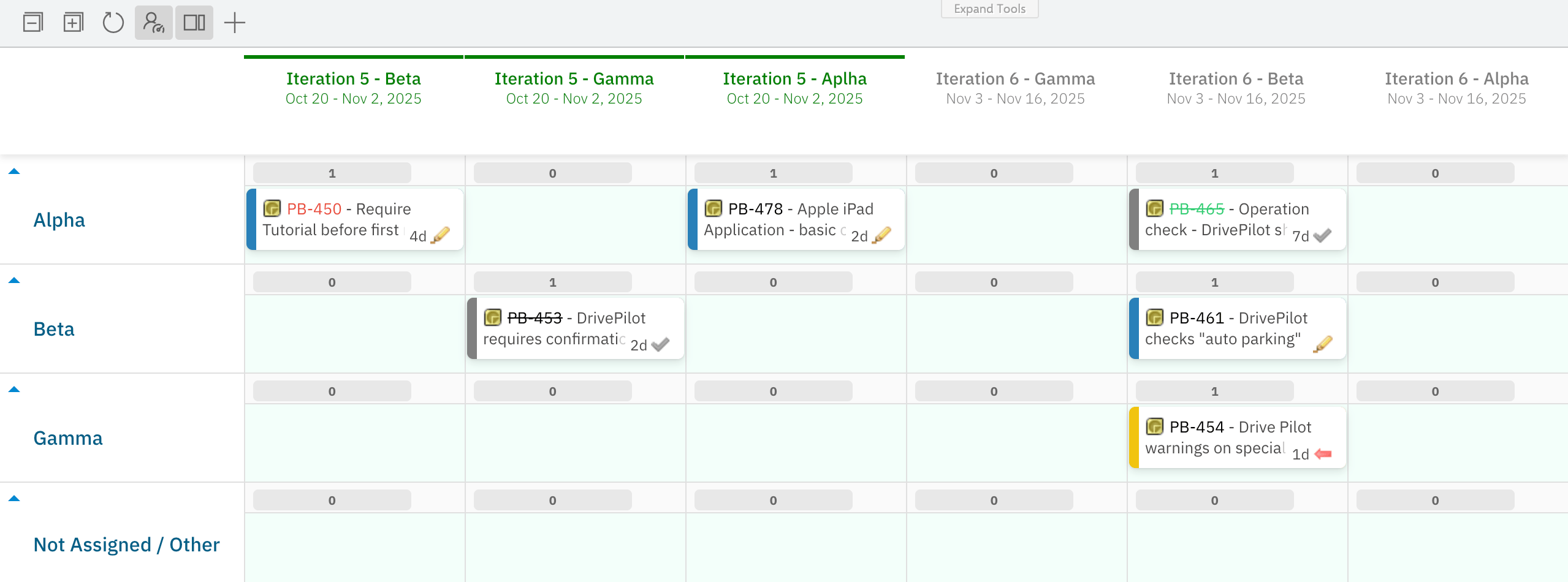
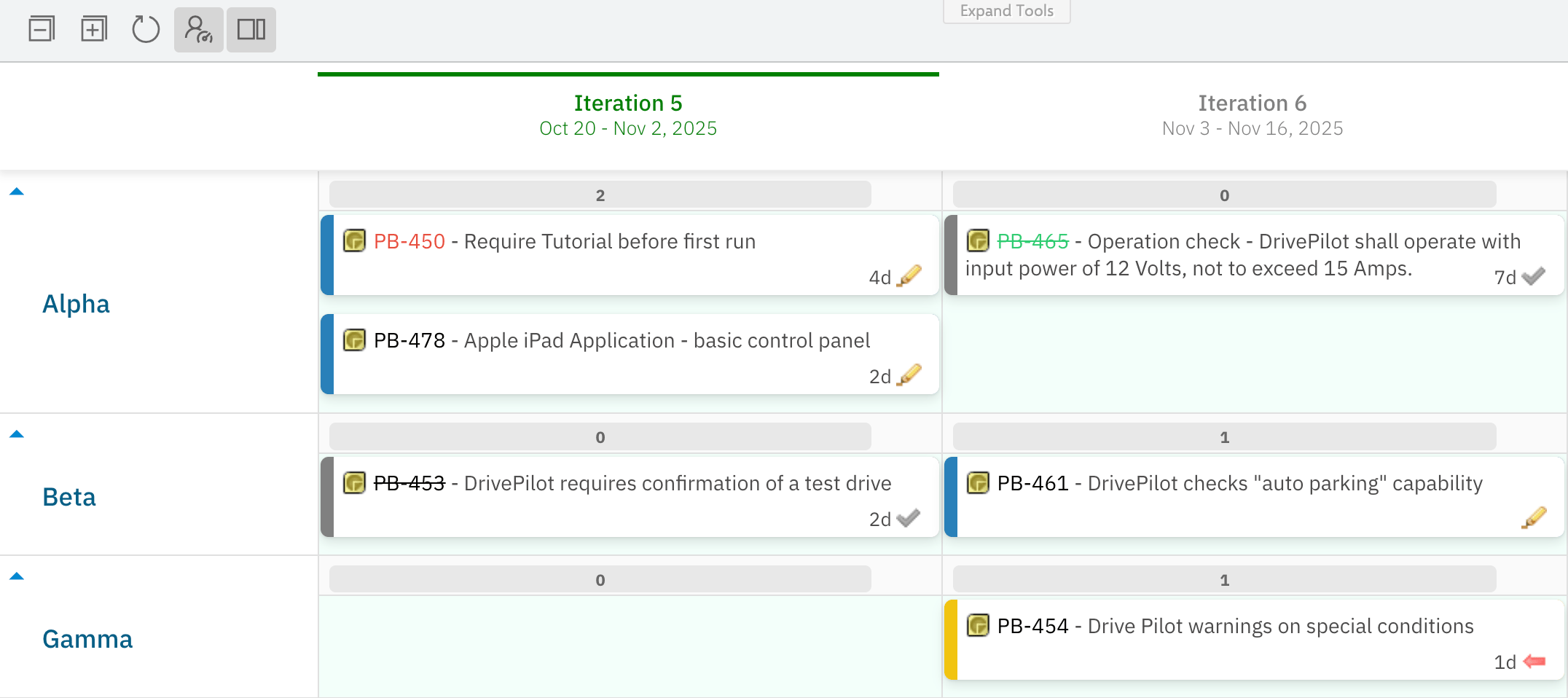
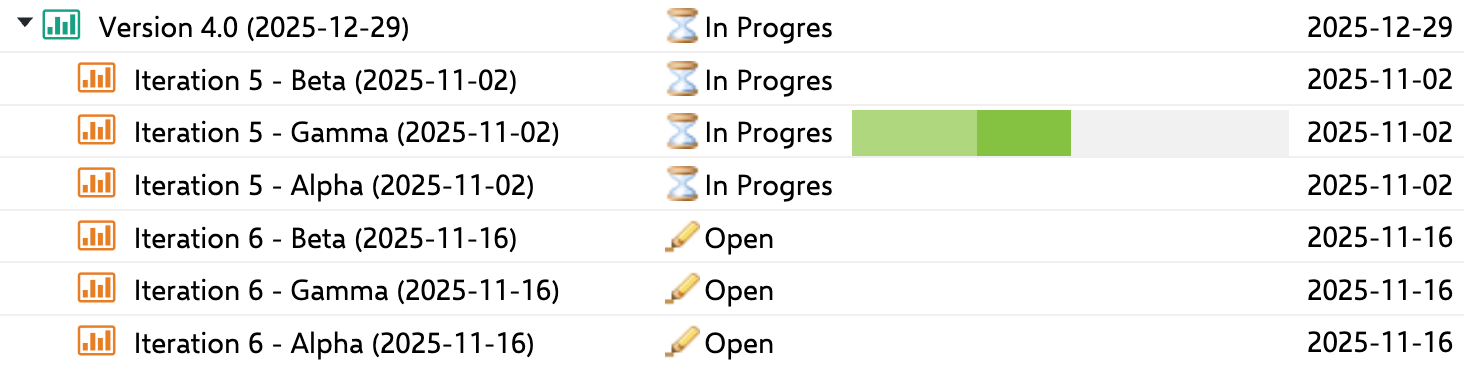
When normalization is off, each team-iteration combination becomes its own column. The result is a wide board where Iteration 5 - Alpha, Iteration 5 - Beta, and Iteration 5 - Gamma appear as three separate columns even though they cover the same date range:
The exact field format used to encode plan-resource pairs in stemming mode depends on your configuration. Consult the reference documentation for
stemming and planCellsMode widget parameters for the encoding details applicable to your setup.Why a Card “Snaps Back”
A common source of confusion is dragging a card to a swimlane and seeing it immediately return to its original position. This happens because normalization re-derives swimlane membership from the work item’s field value — and the field value was not (or could not be) updated by the drag. The most common causes:Swimlane Sort Order and Normalization
One consequence of normalization worth understanding: swimlane sort order is coupled to item sort order. Because swimlanes are derived from field values rather than being independent objects with their own position, the vertical order of swimlanes on the board is controlled by theswimlaneSort parameter (e.g. alphabetical), not by dragging the swimlane headers themselves.
As of Planningboard 25.9.0, parent swimlanes can be sorted by any custom property, including priority. This applies to the Parent Item assignment mode and gives teams control over which parent swimlane appears first without altering the underlying work item structure.
Normalization and Capacity
Capacity bars per swimlane are computed from the normalized state: the board sums capacity values for all cards in a swimlane as derived from the current field values. This has one important consequence for multi-valued fields — a work item’s capacity can be counted more than once if it appears in multiple swimlanes. For example, if WI-42 is assigned to both Alice and Bob and carries astoryPoints = 5 capacity value, it contributes 5 points to Alice’s capacity bar and 5 points to Bob’s capacity bar.
Mental Model Summary
Think of Planningboard as a live query view over your Polarion work items, not a standalone board with its own card positions:- The board’s state is always derived from Polarion field values. There is no separate “board position” stored independently.
- Drag-and-drop is a shortcut for a field update. Moving a card changes the underlying field; normalization then re-renders the board from the updated data.
- Multi-valued fields produce multiple swimlane appearances. This is correct and intentional — it reflects the item’s actual field state.
- Snapping back means the field update did not happen. The board is giving you accurate feedback about your Polarion data.
- Plan cells mode tightens the constraint. Each card belongs to one cell, and moves update the combined plan-resource field.
Related Concepts
- Swimlane Assignment Modes — the full list of assignment modes and their configuration options
- Capacity Tracking — how capacity values are aggregated per swimlane and displayed
- Plans Modes — plan types (Project Plans, SAFe modes) and how they interact with plan cells normalization
- Board Structure — the overall anatomy of the board (columns, rows, cards, sidebars)