

Prerequisites
- A data model already configured in Administration > Nextedy POWERSHEET > Data Models
- Permissions to create a LiveReport page in your Polarion project
- At least one entity type with relationships defined in your data model
1
Create the Model Helper LiveReport Page
- Navigate to your project in Polarion
- Go to Wiki > LiveReport Pages
- Create a new LiveReport page
- Import the Model Helper page archive provided by Nextedy
Verify in applicationThe Model Helper page archive is supplied with the Powersheet installation package. Contact your administrator if you do not have access to the archive file.
2
Configure the Parameters
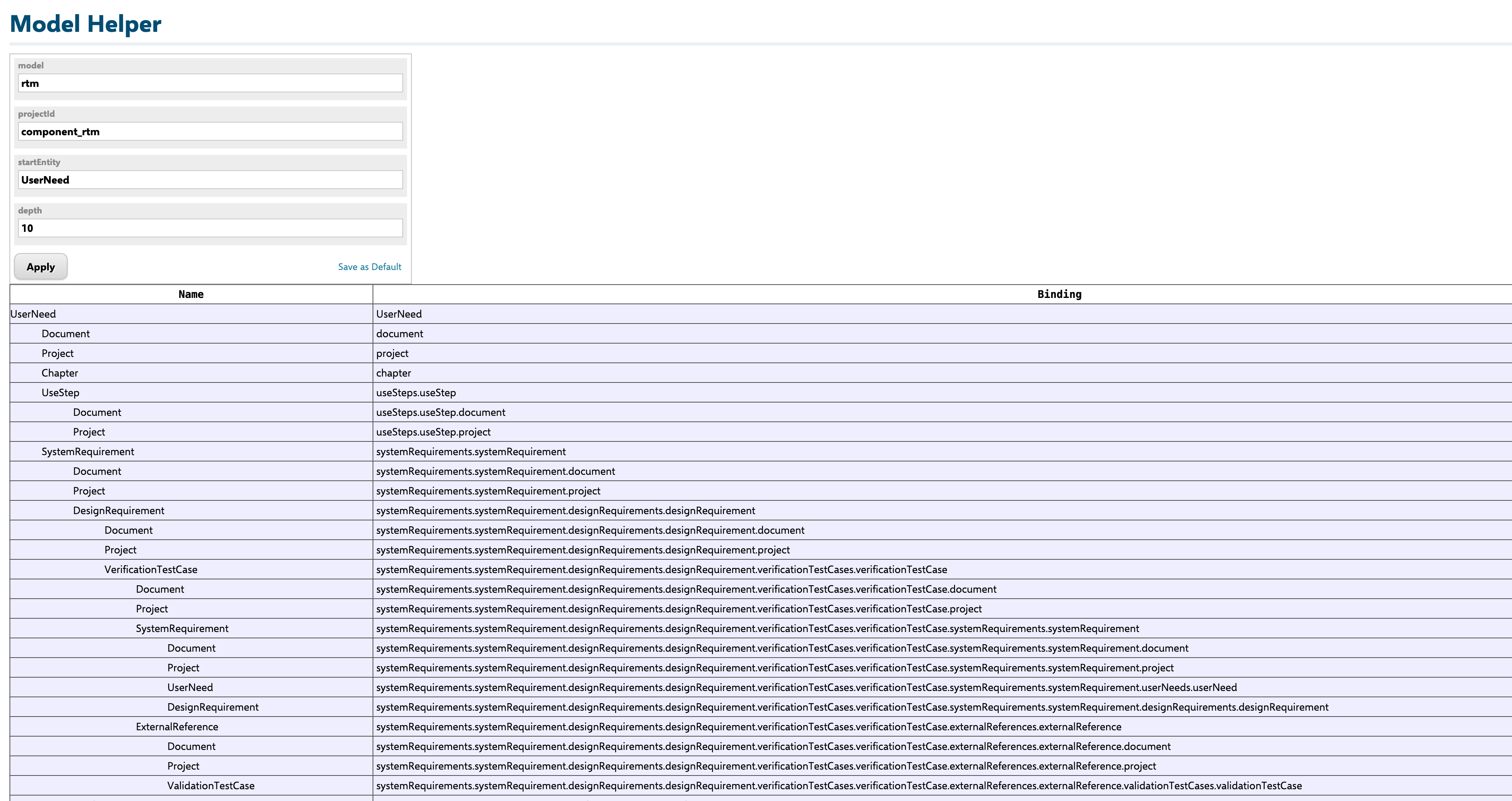
When you open the Model Helper LiveReport, fill in four parameter values at the top of the page: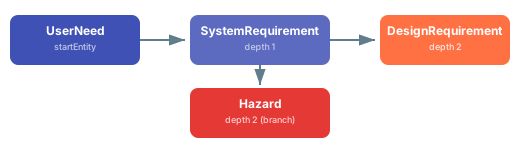
Enter these values and submit to generate the visualization.
3
Read the Visualization Output
The Model Helper displays three key pieces of information:
- Entity types shown as nodes, each displaying the entity name and its
polarionTypemapping (for example,UserNeedmapped touser_need) - Relationships shown as labeled connections between entity nodes, annotated with the navigation property name (the
directorbackname from your data model) - Expansion depth indicating how many relationship levels each entity sits from the start entity
4
Map Visualization to Source Configuration
The expansion paths shown in Model Helper translate directly to the The The The expand creates child rows in the sheet — no dot-notation needed because the expand directly opens the child level.The first level (
expand section of your sheet sources. The cardinality of each relationship determines the expand pattern.Many-to-One (N:1) Relationships
For scalar navigation properties (one parent per child), use a single-level expand with thedirect name:direct name in your data model (chapter) becomes the expand name. In your columns, bind to this property for a reference picker:chapterrenders a single-value reference picker (scalar navigation property)chapter.titlerenders a read-only display of the referenced Chapter’s title using dot-notation
One-to-Many (1:N) Relationships
For collection navigation properties (one parent, many children), the expand opens a new hierarchy level using theback name:back name in your data model (userNeeds) becomes the expand name. In columns, reference the child level directly:Many-to-Many (M:N) Relationships
Many-to-many relationships use an association entity between the two types. The source expand requires two levels:systemRequirements) is the association collection; the second level (systemRequirement) is the target entity. Column bindings use dot-notation through the association:5
Validate Binding Paths Against the Model
After building your source and column configuration, use Model Helper to verify that every binding path in your columns corresponds to a valid expansion path.Cross-check each column key against the visualization:
- Simple property (e.g.,
title,description) — the property must exist on the source entity type - Single-level navigation (e.g.,
chapter) — must match adirectorbackname in a relationship from the source entity - Dot-notation path (e.g.,
systemRequirements.systemRequirement.title) — each segment must follow a valid relationship defined in the data model
Cardinality Quick Reference
6
Verify Your Setup
After configuring your sheet based on Model Helper output:
- Open the Powersheet document that uses your sheet configuration
- Verify that all entity types listed in Model Helper appear as expandable levels in the sheet
- Confirm that column headers match the expected entity properties at each level
- Expand rows at each hierarchy level to confirm that relationships load correctly
- Test reference pickers to ensure they display the correct linked entities
See Also
- Configure a Relationship — define relationships between entity types in the data model
- Create Bidirectional Links — set up
directandbacknavigation properties - Configure Many-to-Many Relationships — association entity pattern for M:N links
- Configure Sources — full reference for the
sourcessection - Add a Column — column binding syntax and display options
- Data Model Reference — complete data model specification