

Quick Reference


Row Operations
Shortcuts for adding, removing, and managing rows within the sheet. Row operations are also available as toolbar icons in the work items tree (Add

Undo ScopeThe undo/redo history is scoped to the current sheet session. Navigating away from the sheet clears the history. Save operations cannot be undone from the client side — once changes are saved to Polarion, they are committed.
Column Freezing
Shortcuts for pinning columns to keep them visible during horizontal scrolling.Default Frozen ColumnsFrozen columns can also be set in the sheet configuration YAML using the
frozen property on individual columns. Keyboard freezing overrides the configured default for the current session. See Columns for configuration details.Row Grouping
Shortcuts for organizing rows into collapsible groups based on column values.
The
showGroupRowCounter configuration property controls whether the item count is displayed in group headers.
Column Sorting
Shortcuts for ordering rows by column values.Default SortThe default sort order defined in the Sort By configuration is always re-applied after user sorting to maintain hierarchy consistency. User sort criteria are applied on top of the configured default.
Cell Editing
Shortcuts for entering, committing, and canceling cell edits.Copy and Paste
Shortcuts for transferring cell data within the sheet.Cell Navigation
Shortcuts for moving between cells and selecting ranges.Excel Export
Export PerformanceLarge sheets with many rows or complex grouping may take several seconds to generate the Excel file. The export reflects the exact view state at the time the shortcut is pressed.
Linking Mode
Shortcuts specific to the work item linking workflow.
Linking mode is activated via the Link toolbar button. It supports only many-to-many relationships defined in the data model. All link operations support undo/redo.
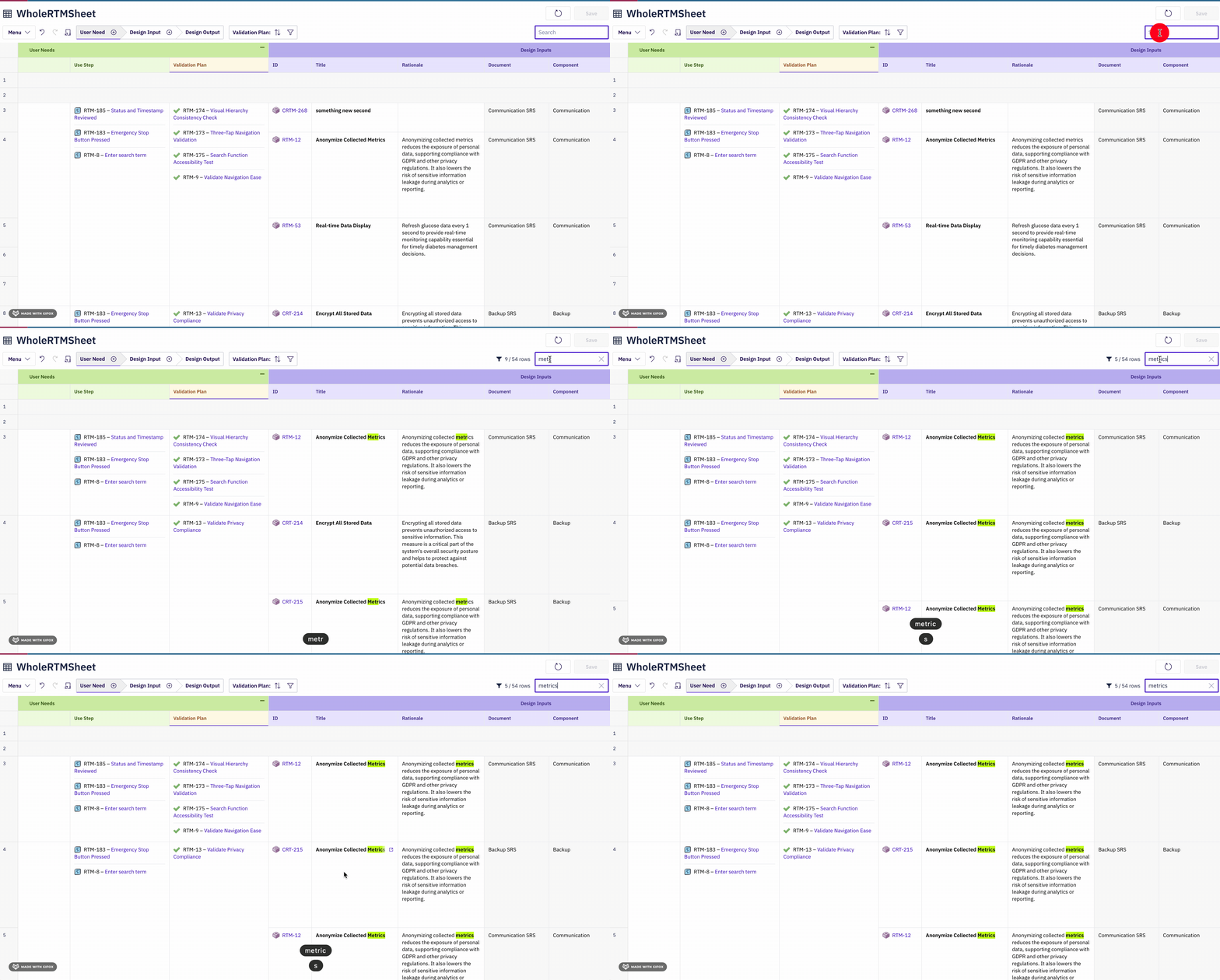
Search
Complete Shortcut Table
A consolidated reference of all keyboard shortcuts sorted by category.Shortcut Availability
Keyboard shortcuts are only active when the following conditions are met:macOS Equivalents
On macOS, Powersheet automatically mapsCtrl to Cmd for all shortcuts.
Related Pages
- Columns — Column configuration including
frozenandisReadOnlyproperties - Sort By — Default sort order configuration
- Views — Named column visibility presets
- Permissions — Entity and property-level access control
- Relationships — Relationship definitions for linking mode