

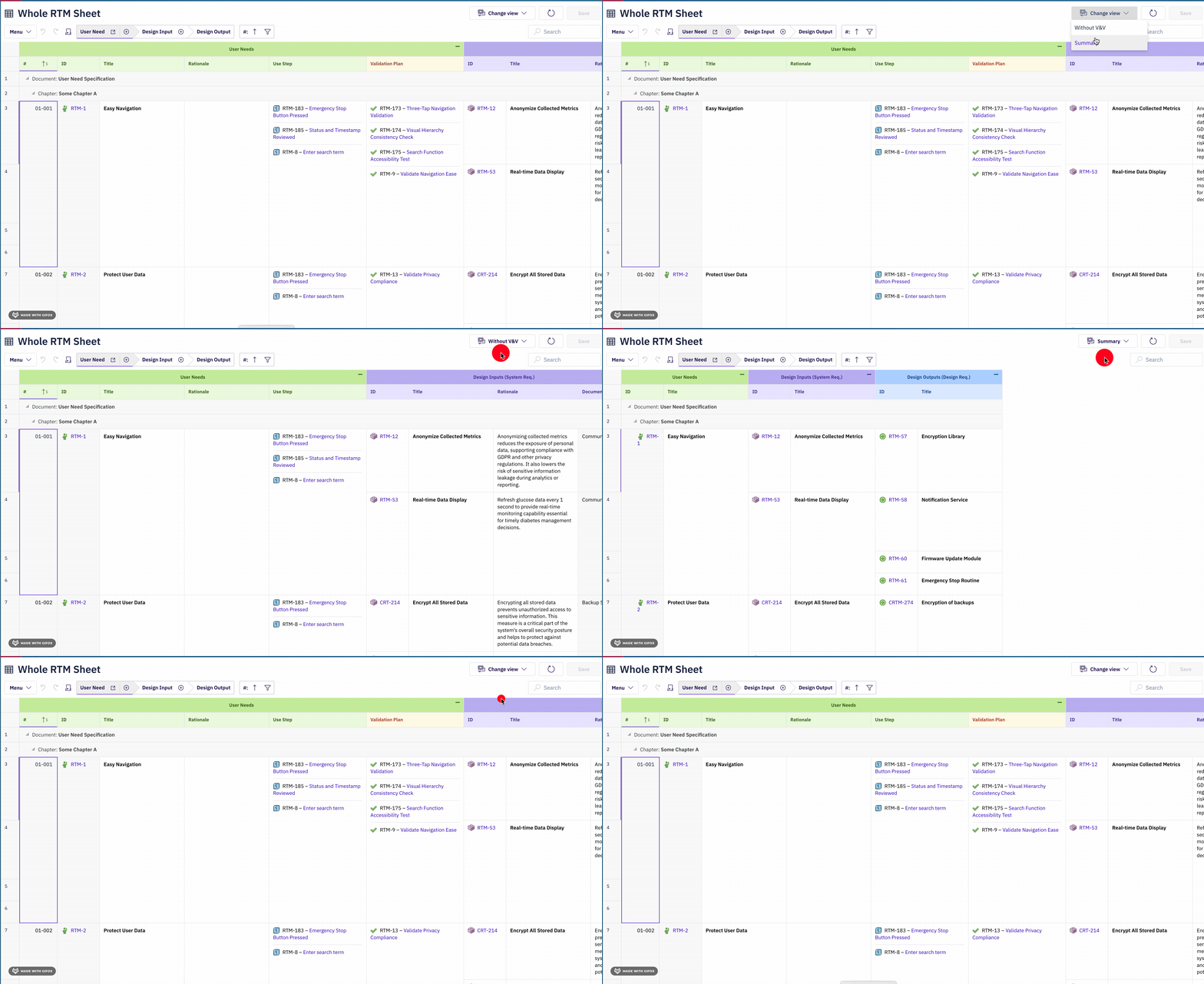
Views Structure

columns section. Each entry in views extends the base view by overriding column visibility. The views selector UI presents all configured views to the user.
View Properties
Each view is defined as a keyed entry under theviews map. The key becomes the display name shown in the views selector.
YAML key namingIn the property table below,
<ViewName> is a placeholder for the actual YAML map key you define, such as Without V&V, Compact, or Requirements Only. This key is the user-visible label in the views selector dropdown.Defining Views
Views are defined in the top-levelviews section of the sheet configuration. Each key in the views map becomes a selectable view in the UI:
Base View
The base view is the column layout defined by the top-levelcolumns section in the sheet configuration. It represents the complete set of columns at their configured visible state. The base view serves as the foundation that all named views extend.
The base view can be given a custom name by defining an empty view entry:
columns override meaning no visibility changes from the base.
Default View
One view can be designated as the default view by settingdefault: true. When configured, this view is applied automatically when the document loads, instead of the base view:
View Selection Methods
Users can switch between views at runtime through two mechanisms:
Both methods present the same list of available views. The currently active view is visually indicated in both the menu and the dropdown.
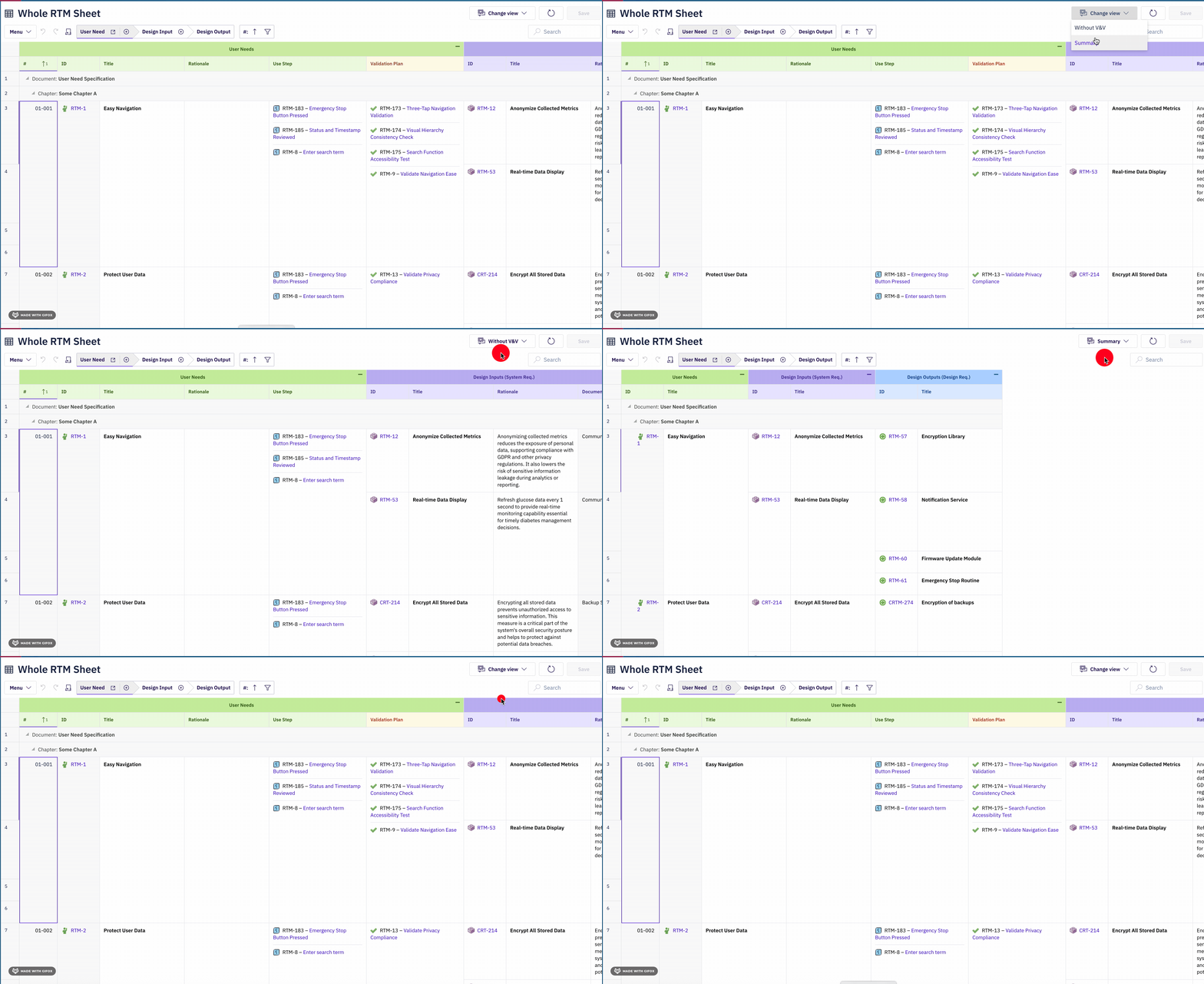
View-Specific Column Visibility
Each view independently controls which columns are visible. Views can hide entire entity-level columns (hiding all related child data) or selectively hide individual property columns:columns keys in a view must match the binding paths defined in the top-level columns section. A binding path follows the navigationProperty.childProperty.propertyName pattern from the data model. For details on binding path syntax, see Binding Syntax.
Cross-Document View Linking
Views can reference alternative documents with the same name, enabling switching between different tool representations of related data. When configured, the views selector dropdown shows both view names and linked document names, allowing users to navigate between different perspectives.Verify in applicationCross-document view linking depends on the
alternativeViewDocument property on the document configuration. The views selector displays both in-document views and alternative document links in the same dropdown.Error Handling
Views handle configuration errors gracefully:Runtime Behavior
The following details describe how views behave at runtime:- View switching is instant. Changing views only toggles column visibility; it does not re-fetch data from the server.
- Data remains loaded. Hidden columns still have their data loaded in memory. Showing them again via a different view is instantaneous.
- Views do not affect sorting or filtering. Column sort state and filter state are independent of the active view. Sorting by a hidden column still applies.
- Views persist during the session. The selected view remains active until the user switches to another view or reloads the document.
- Configuration is read-only at runtime. Users cannot create or edit views from the UI; views must be defined in the YAML configuration by an administrator.
Complete YAML Example
The following example demonstrates a full sheet configuration with multiple views for an RTM (Requirements Traceability Matrix) use case using the standard entity hierarchy (UserNeed -> SystemRequirement -> DesignRequirement -> Hazard -> RiskControl):
- The base view shows all eight columns including system requirements, design outputs, and both test types.
- Without V&V hides both test columns, focusing on requirements and design.
- Requirements Only hides design outputs and both test types, showing only user needs and system requirements.
- Compact is the default view (
default: true), loading automatically. It shows only user need columns and system requirement titles, hiding severity details, design outputs, and all tests.
Configuration Tips
Related pages: Columns | Column Groups | Binding Syntax | Styles