

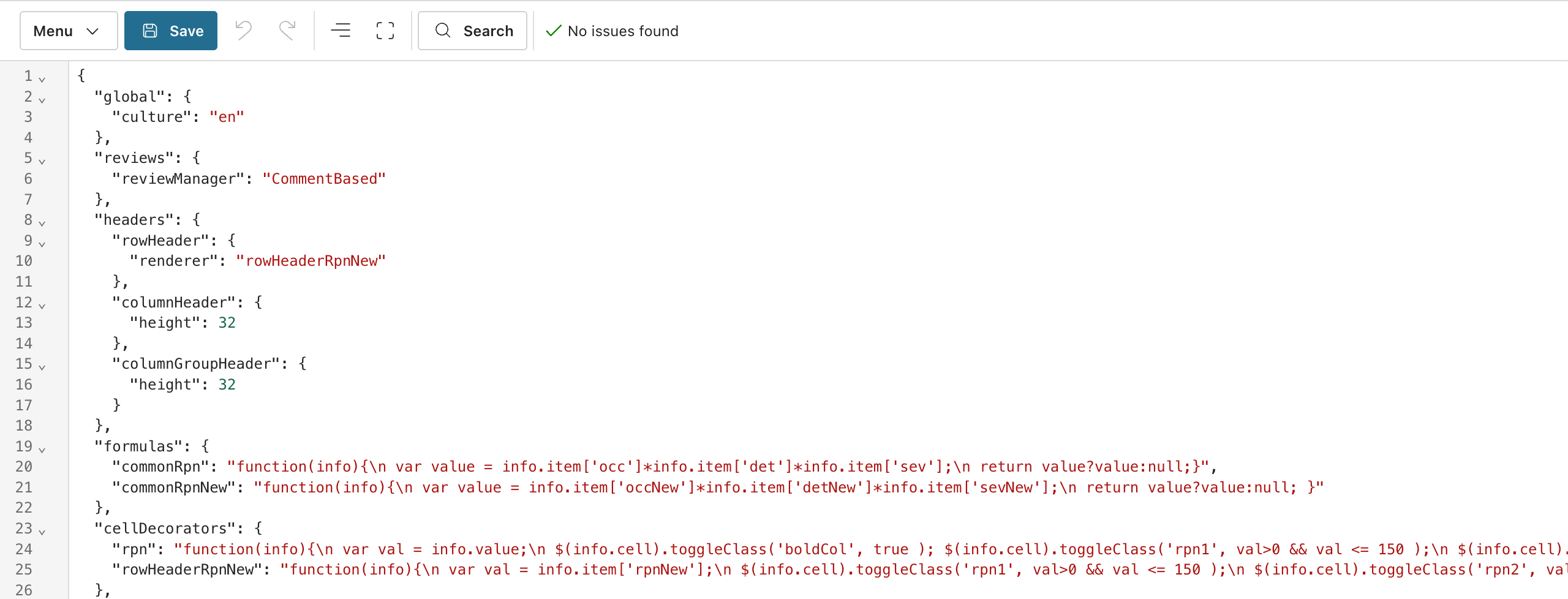
File Location
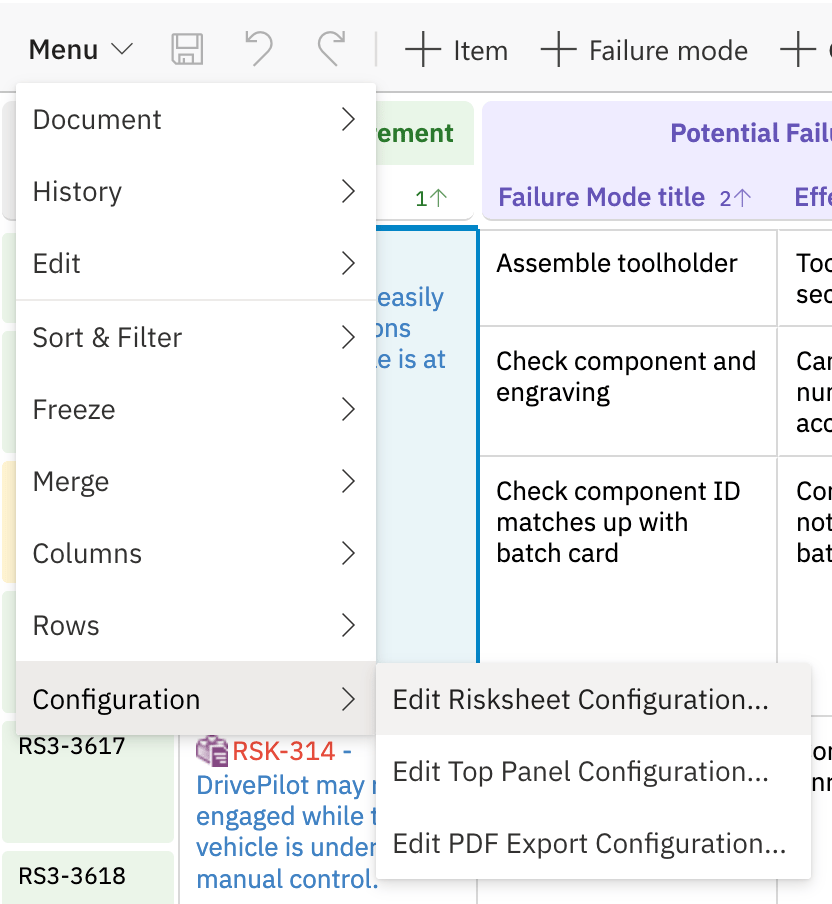
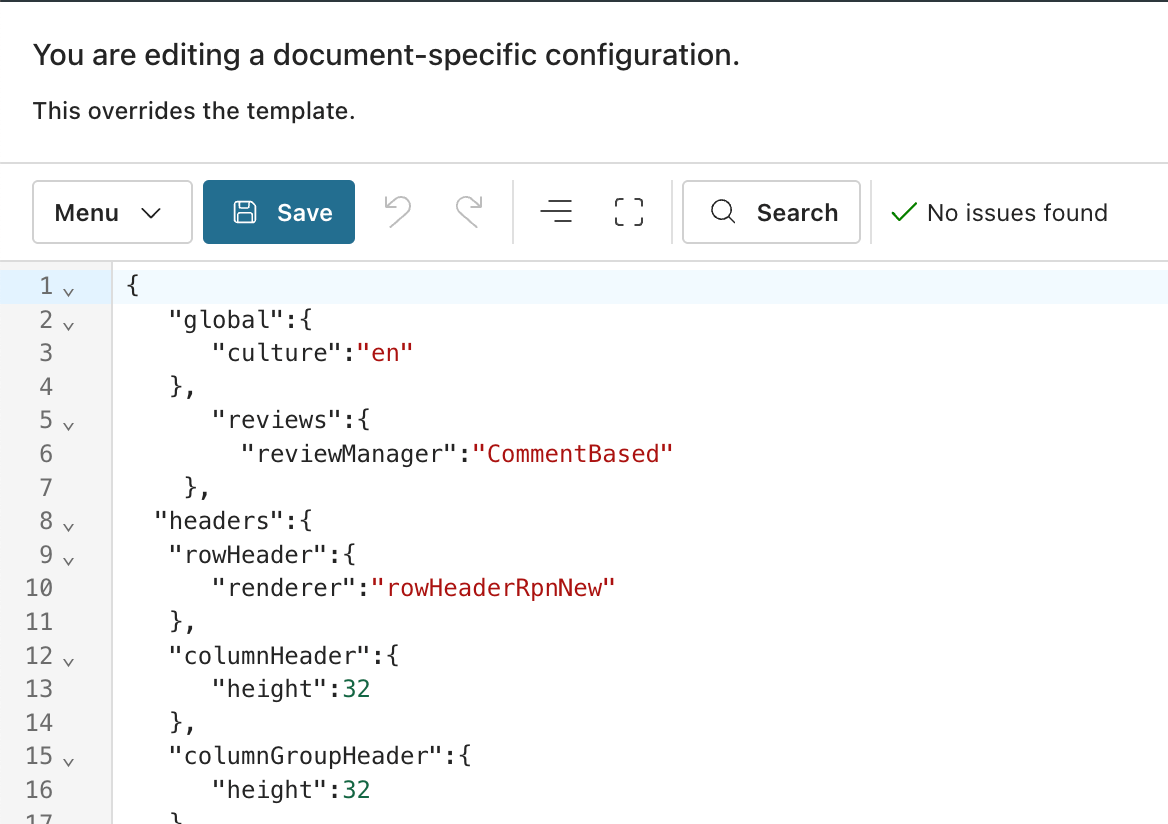
Complete configuration examplesSee Configuration Examples for annotated, end-to-end sheet configurations from real-world TARA and FMEA projects.
Start from a templateDo not create a sheet configuration from scratch. When you create a sheet, pick the closest solution template for your industry/methodology, understand its configuration, and modify it to match your process. The functional safety template is a good entry point for evaluation.
Top-Level Structure
The sheet configuration has these verified top-level sections:Top-Level Properties
Rating scales and enumerations are defined in PolarionRating scales (severity, occurrence, detection) and enumerations are not declared inside the sheet configuration. They are defined as Polarion enumerations under Administration > Enumerations. A custom field on the work item type binds to the enumeration, and the sheet configuration column references it via
type: rating:<enumId> or type: enum:<enumId> together with bindings: <fieldId>. The server loads the enumeration values automatically.Dependent enumerations (where the available options of one enum depend on the value of another) are a column-level feature available since v25.3.1, not a top-level configuration section.columns
Each entry in thecolumns array defines one grid column.
Column Properties
typeProperties for itemLink Columns
ForitemLink and multiItemLink columns, typeProperties defines the link semantics and autocomplete behavior:
Column Example
levels
Defines the visual hierarchy for cell merging. The number oflevels entries determines how many visual tiers the grid renders; the underlying data model still has only two entity types (risk items and task items).
dataTypes
Defines the work item types that participate in the sheet. The data model always has exactly two entities:risk (the row work item) and task (downstream linked items). The names are conventions only — any Polarion work item types can be used.
dataTypes.risk Properties
dataTypes.task Properties
dataTypes Example
Dynamic Type Resolution
Data type properties support dynamic resolution from Risksheet Configuration Properties using expression evaluation:headers
formulas
Named JavaScript functions for calculated columns. Each formula receives aninfo object with info.item containing the current row’s field values.
risksheetTopPanel.vm and call them from thin wrappers in formulas. This narrows the validation scope of the sheet configuration in regulated environments. See Top Panel Template.
cellDecorators
Named JavaScript functions that apply conditional CSS classes based on cell values. Each function receives aninfo object with info.value (cell value), info.item (row data), and info.cell (DOM element).
Cell decorators must use toggleClass rather than inline styles, because grid cells are reused as rows scroll. Inline styles persist across reuses and produce stale formatting.
RPN thresholds are user-configurable; the example below uses the common 150 / 250 split (green / amber / red). Different deployments use different bands.
styles
CSS class definitions referenced bycellDecorators. Style values must be wrapped in curly braces {}. Use !important to override grid default styles.
views
Saved column visibility presets that support staged risk assessment workflows.
Special tokens inside
columnIds:
"@all"— includes every defined column."-columnId"— excludes the named column (typically combined with"@all").
queryFactories
Named Lucene query functions used bytypeProperties.queryFactory on itemLink and multiItemLink columns. Each function receives an info object with context data and returns a Lucene query string for filtering autocomplete suggestions.
hazardQuery example reads a user selection from a <select id="classification"> element in the top panel and returns a Lucene filter accordingly. This creates interactive filtering: the user picks a value in the top panel, and autocomplete suggestions update dynamically.
global
reviews
Approval review limitationThe approval review type creates approval-tagged comments but does not trigger Polarion’s formal approval state transitions (draft to reviewed to approved). Combine with Polarion workflow signatures if formal approval state changes are required.
approval
sortBy
Default sort order as a column ID array.Runtime Properties (Server-Managed)
The following properties may appear in the runtime view of a configuration. They are injected by the server based on the current user, request, and configuration source. They are not user-configurable and must not be set in the configuration file:canAdmin— indicates administrative privileges for the current user.reviewer— enables reviewer mode based on the user’s role.source— path of the configuration source file actually loaded by the server.templateName— name of the template when configuration was inherited from a template.
Complete Example
severityEnum) under Administration > Enumerations. The custom fields severity, occurrence, and detection on the failureMode work item type bind to those enumerations; the columns reference them via type: rating:<enumId> and bindings: <fieldId>.
See Also
- Configuration Properties Index — All properties in one searchable index
- Default Configuration Values — Default values for all properties
- Configuration Validation Rules — Validation rules and constraints
- Configuration Interactions — Property dependency reference
- Data Types — Column type reference
- Column Type Reference — Column configuration details
- Top Panel Template —
risksheetTopPanel.vmstructure and bridging patterns - Cell Decorators — Conditional formatting reference