

What is a sheet configuration?
What is a sheet configuration?
A sheet configuration is a YAML file that defines how Nextedy Powersheet displays and interacts with data from the data model. It specifies columns, data sources, views, column groups, formatters, and sorting behavior. Each Powersheet document references a sheet configuration through the
nextedySheetConfig custom field. Configurations are managed in Administration > Nextedy POWERSHEET > Sheet Configurations.See Creating Your First Sheet Configuration for a step-by-step tutorial.How does a sheet configuration relate to the data model?
How does a sheet configuration relate to the data model?
The sheet configuration depends on the data model for entity type definitions, relationships, and property metadata. Column binding paths in the configuration reference properties and expansion paths defined in the data model. The 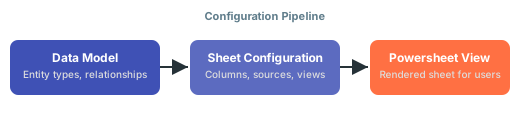
model property in the sources section specifies which data model to use. If the model and configuration do not match, you will see errors when loading the sheet.Should I start with a complex configuration or build incrementally?
Should I start with a complex configuration or build incrementally?
Start with the simplest possible configuration — a single entity type, a few columns, and one data source. Verify that the basic setup loads correctly, then extend gradually by adding relationships, column groups, and formatters. Jumping to a complex multi-entity configuration leads to difficult-to-diagnose errors.