

Prerequisites
Before you begin, ensure that:- Your resources are Polarion work items — see Set Up a Hierarchical Resource Picker
- The resource work item type carries a numeric custom field for the capacity figure
- You have administrator rights on the project whose Gantt you are configuring
1
Name the Field Holding the Figure
In Administration > Configuration Properties, name the field on the resource work item:The property has no default. Until a field is named, declared capacity stays off and every resource falls back to its working calendar.
2
Confirm How the Figure Is Read
The unit decides what the number means:
Leave the property unset for
perDay, which is what most structures want, and which is the only unit both the resource view and the API act on, and which is the only unit both the resource view and the API act on.3
Fill the Field on Each Resource
Set the figure on the resource work items that supply capacity — 60 for a department that can field roughly seven and a half people, 8 for an individual.Fill it on the nodes that have no Polarion user behind them. A resource that leaves the field empty, and a resource that resolves to a user, both keep theFill it on the nodes that have no Polarion user behind them. A resource that leaves the field empty, and a resource that resolves to a user, both keep the working calendar. The two can coexist in one structure, which is what lets a plan carry named people alongside a department that has not yet been broken down.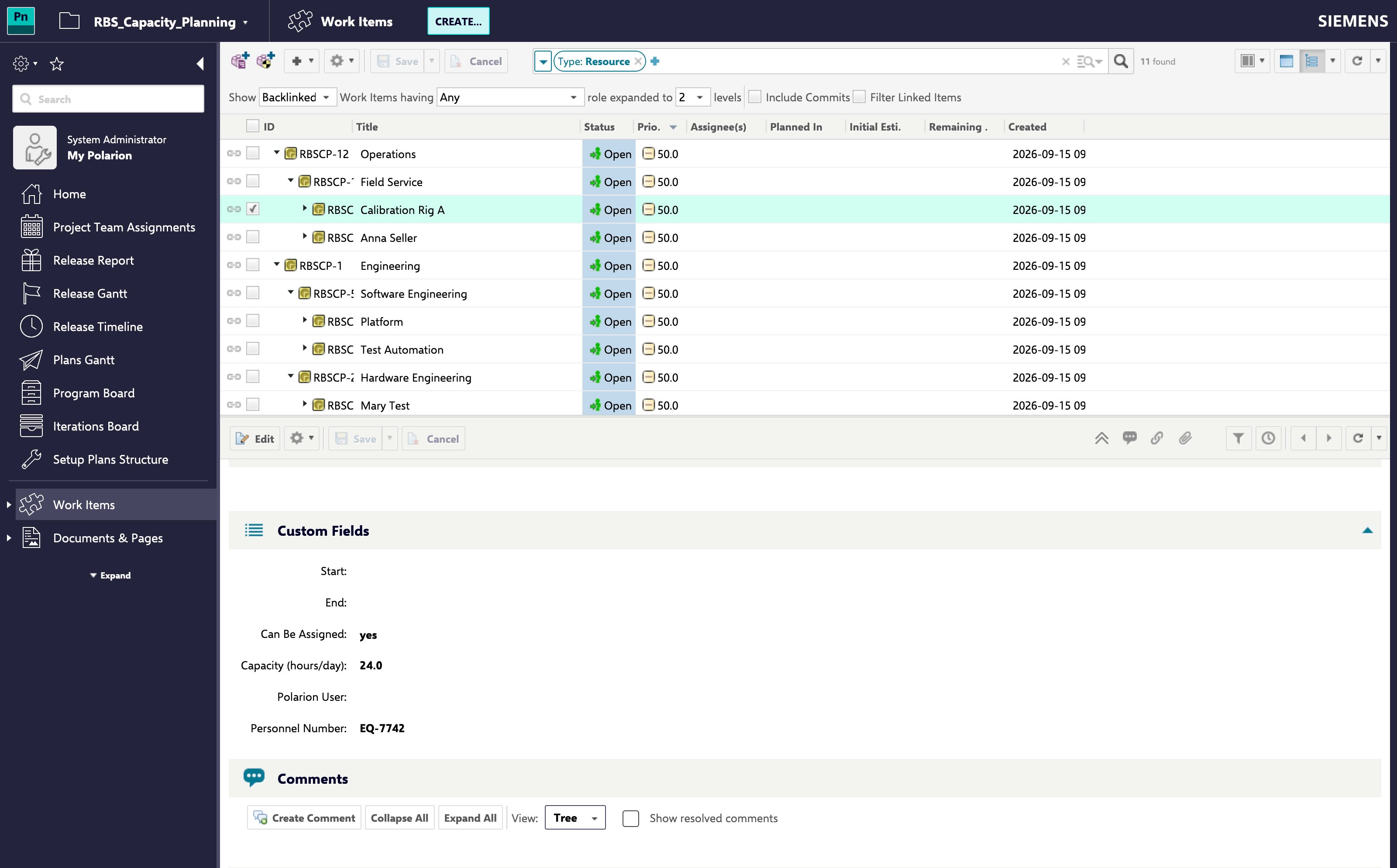
4
Check It in the Resource View
Open a Gantt whose Team Assignments point at those resources. The declared figure is what the resource row now divides allocation by, so a department carrying 60 hours a day no longer shows as catastrophically overallocated.
Which Resources the Figure Applies Toich Resources the Figure Applies To
A declared figure does not compete with a working calendar — it covers the resources that have no calendar to draw onfigure does not compete with a working calendar — it covers the resources that have no calendar to draw on:- A resource that resolves to a Polarion user takes that user’s working calendar, and its declared figure is not read. Filling the field on such a node changes nothingresource that resolves to a Polarion user takes that user’s working calendar, and its declared figure is not read. Filling the field on such a node changes nothing.
- Every other resource — a department, a rig, a supplier, or a person who carries no identity mapping — is described byEvery other resource — a department, a rig, a supplier, or a person who carries no identity mapping — is described by the declared figure.
What the Working Calendar Still Decides
For the resources the figure does apply to, the calendar keeps the shape of the week:- A non-working day still carries no capacity, whatever the field says.
- Schedule exceptions, plant holidays and vacations continue to apply on top of the declared figure.
Fractions Are Rounded in the Team CalendarA declared figure is rounded to whole hours when it is folded into a team’s calendar, so 7.5 counts as 8 there. Prefer a whole number where the distinction matters.
Troubleshooting
Verification
Verification
You should now see:- The resource row of a node with no Polarion user behind it dividing allocation by the declared hours rather than by a working calendar’s percentage
- Zero capacity on non-working days, holidays and vacations, regardless of the declared figure
- Resources that leave the field empty still following their working calendar