

Why Teams Need More Than Enums
In standard Polarion, a team is typically just an enumeration value — a label attached to a work item. This approach answers the question “which team owns this task?” but leaves critical resource planning questions unanswered:- Who is actually working on a given team?
- How much of their time is allocated to this team versus others?
- When does this allocation start and end?
Teams as Work Items
Gantt solves this by introducing two new work item types: Team and Team Assignment. Rather than relying on static enumerations, teams become fully functional Polarion work items with all the traceability and flexibility that comes with them.
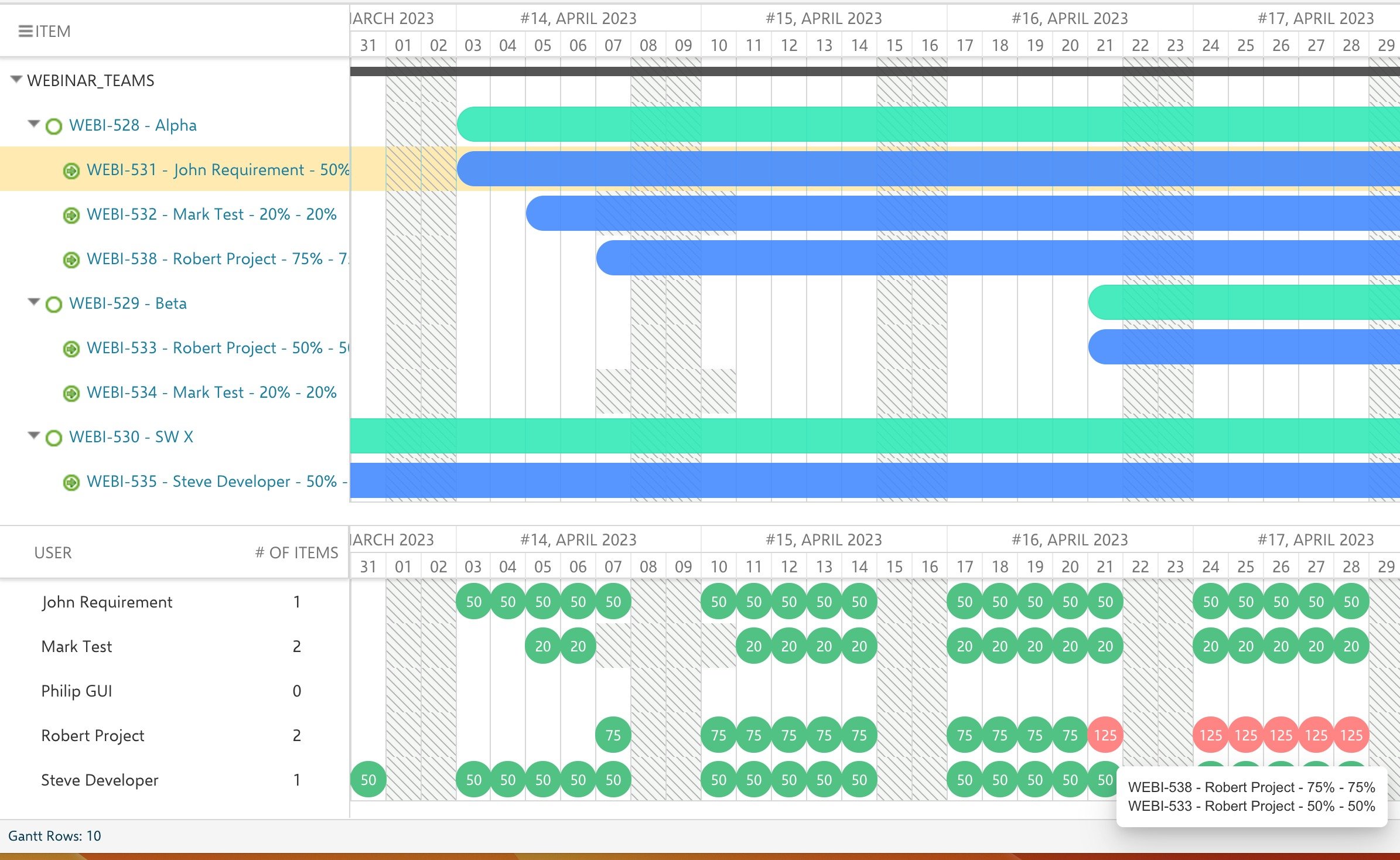
Team assignment work items are linked to their parent team using a dedicated assignment link role. Each assignment specifies who is on the team, for how long, and at what percentage of their capacity.
How Capacity Flows Through the System
The capacity calculation follows a clear hierarchy. When the Gantt chart loads, it resolves each user’s available hours by layering multiple inputs:
Allocation Percentage and Overallocation
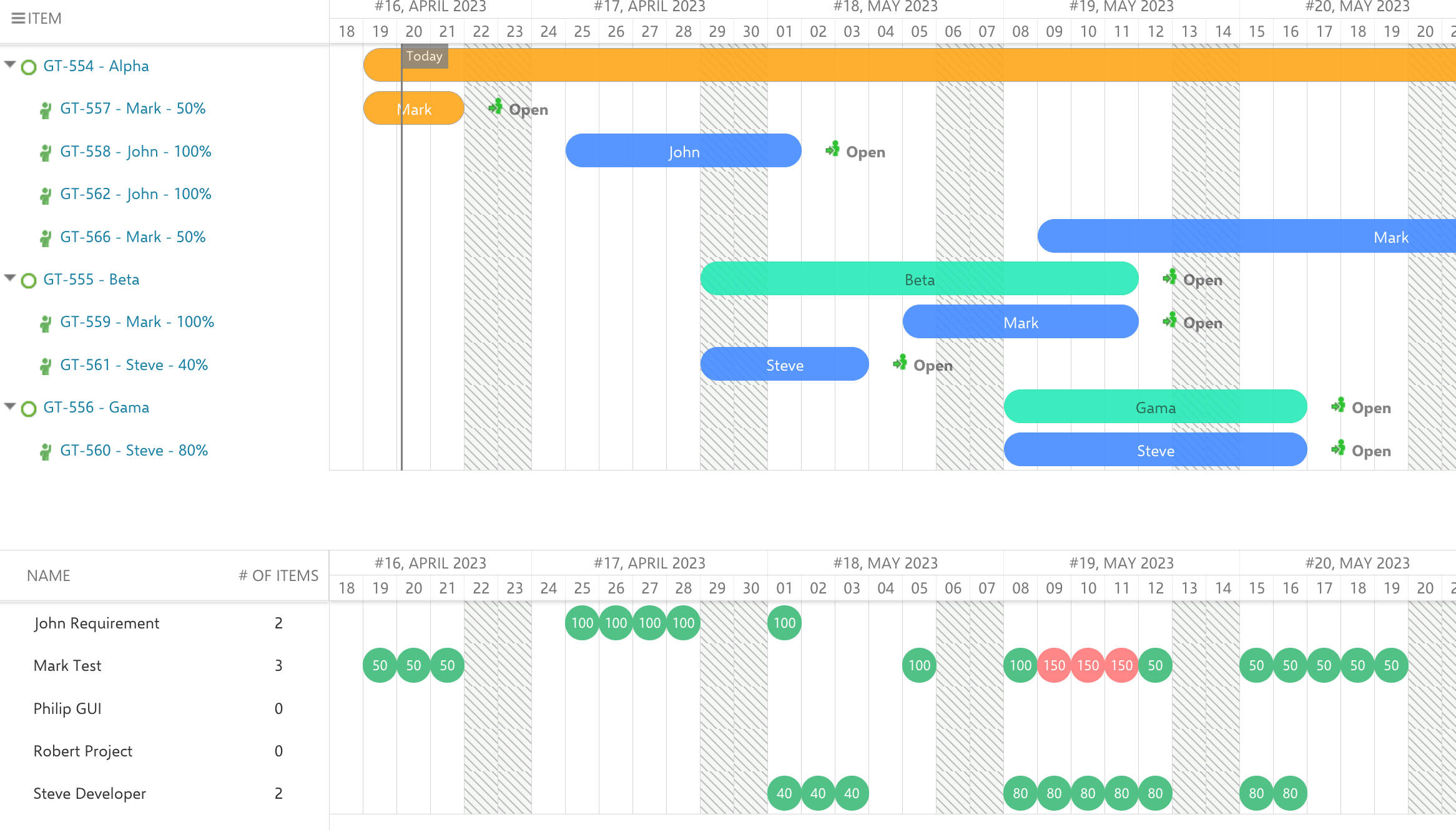
The allocation percentage on each Team Assignment drives the resource view display. The resource view shows allocation markers for each user per time period, where 100% represents a full working day. When a user’s total allocation across all teams exceeds 100% on any given day, the resource view flags this as overallocation with a red marker. Consider a scenario where Mark is assigned to two teams:- Team Alpha: 60% from May 1 to May 15
- Team Beta: 80% from May 9 to May 20
Who — or What — a Team Assignment Points At
An assignment does not have to name a Polarion user. It takes its resource from the field named by the Resource Field widget parameter, and that field can hold a user, an enumeration value, or a work item from a Resource Breakdown Structure — which is how a department or a supplier can be allocated to a team before anyone is named. Assignee is the fallback rather than the rule. Where a resource field is configured, the lightbox hides the Assignee field for a new assignment and for one that already carries a resource. Where a resource maps to a Polarion user, the allocation it picks up as a resource and the allocation the same person picks up as an assignee land on one row and are counted once. Without that mapping they are two rows and the load is counted twice. The resource view can then fold those assignments into one collapsible header row per team, each carrying the team’s own aggregated allocation — see Group Resources by Team. A person assigned in several teams gets a row under each of them, showing only what that team allocated.Cross-Project Team Management
Teams often span multiple Polarion projects. Gantt supports this through an external team management project — a single dedicated project that holds all Team and Team Assignment work items. Other projects reference this central project to pull team data into their Gantt charts. The configuration propertynextedy.gantt.teamManagementProjectId points to the project where team work items reside. If this property is not set, Gantt looks for teams in the current project. For organizations with teams spanning multiple projects, centralizing team definitions provides a single source of truth for capacity planning.
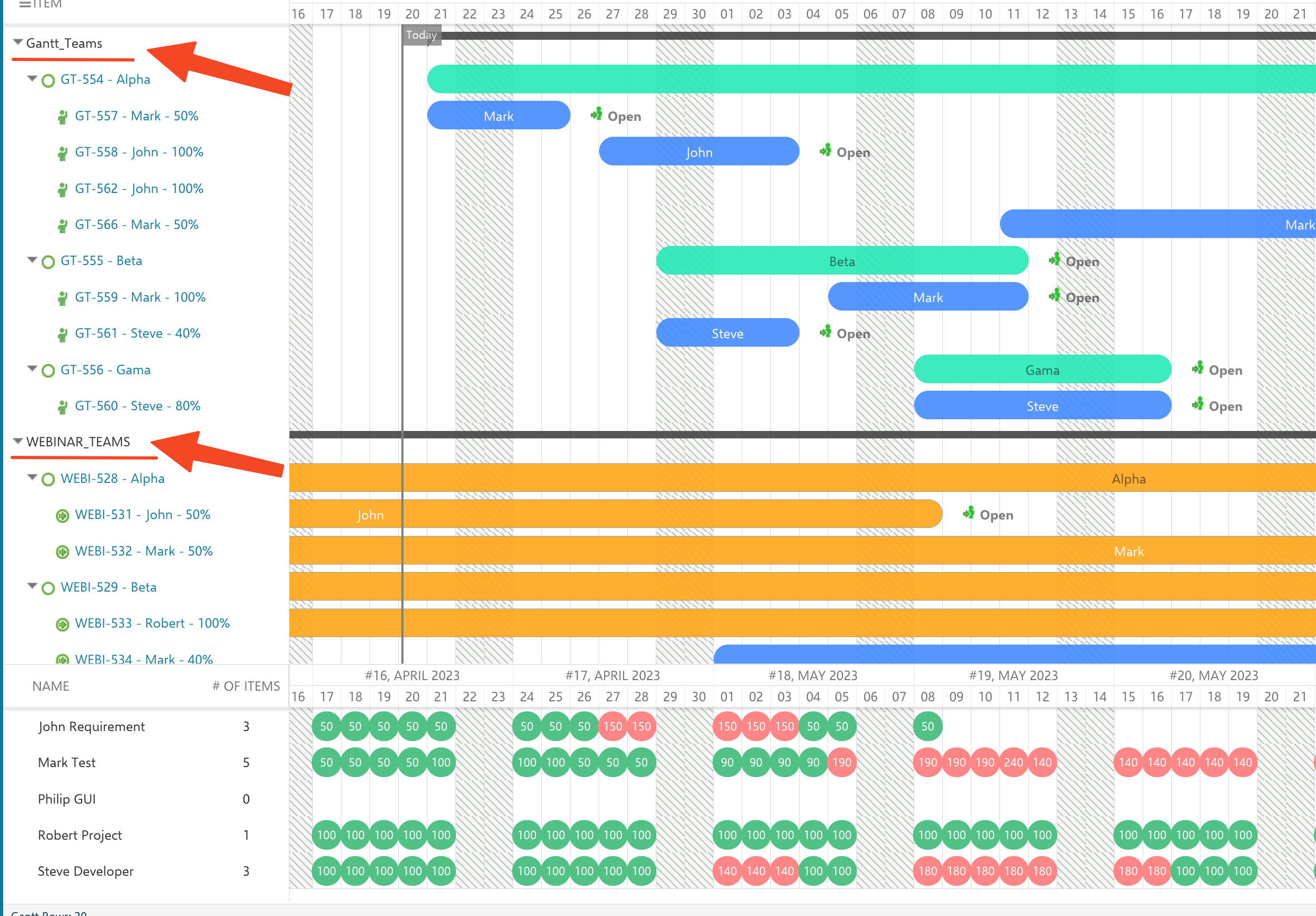
Showing teams from several projects on one cross-project Gantt — here Gantt_Teams and WEBINAR_TEAMS together — makes overallocations across the whole organization visible in a single resource view:
Capacity Modifiers
Teams can define capacity modifiers that account for time spent on unplanned work. Two modifier fields are available:- Capacity Modifier A (
nextedy.gantt.capacityModifierAField) — Represents the percentage of time consumed by unplanned work (meetings, emails, support). Applied to all tasks regardless of when they are scheduled. - Capacity Modifier B (
nextedy.gantt.capacityModifierBField) — Represents uncertainty in future planning. Applied only to tasks scheduled beyond a configurable day limit (nextedy.gantt.capacityModifierBFieldDayLimit).
effectiveCapacity = base * (1 - (modA + modB) / 100). This provides a realistic view of available capacity that accounts for the inevitable overhead of day-to-day work.
To learn more about capacity modifiers, see Capacity Modifiers and Team Capacity.
Configurable Work Item Type IDs
Starting with version 25.5.0, the work item type IDs used for teams and assignments are configurable via context properties:nextedy.gantt.teamWorkItemType— defaults toteamnextedy.gantt.teamAssignmentWorkItemType— defaults toteamAssignment
Related Pages
- Resource Breakdown Structure — resources as a tree of work items, with their own identity and capacity
- Capacity Modifiers and Team Capacity — understand modifier fields and formulas
- Resource Load Calculation Modes — how allocation mode computes load
- Working Calendars and Scheduling — the base calendar layer beneath team assignments