

Default Dynamic Colors
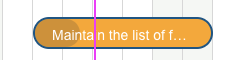
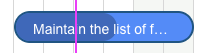
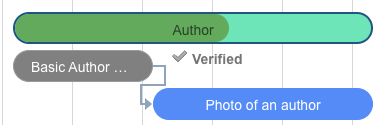
The following colors are applied automatically when progress coloring is enabled (the default):
Each color case is shown below.



Red Flagging for No Available Working DaysStarting with version 25.10.2, the Gantt chart visually flags tasks in red when the assigned user has no available working days during the scheduled period. This helps planners immediately identify unrealistic schedules caused by calendar conflicts.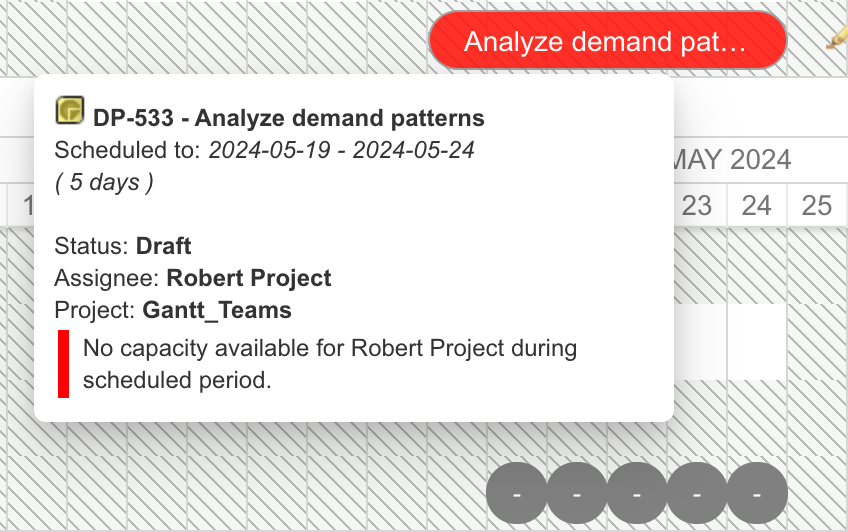
Color Decision Flow

Static vs. Dynamic Coloring
There are two task color properties with different behavior:Disabling Dynamic Colors
To use fully static coloring where onlytask.color values from the Item Script determine task bar colors, add the following to the Gantt Config Script:
show_progress_colors is set to false, the Gantt chart does not apply the automatic red/orange/blue/gray coloring. Only colors explicitly set via task.color in the Item Script are used.
Script-Based Color Overrides
Color by Type and Status
Usetask.color for fully static coloring (requires gantt.config.show_progress_colors=false in the Gantt Config Script):
Item Script:
Color by Assignee
Usetask.taskColor to change the base color while keeping progress indicators:
Item Script:
Highlight Overdue Unresolved Items (Static Mode)
When dynamic colors are off, manually flag overdue items: Gantt Config Script:Resource View Marker Colors
The resource view uses separate color assignments for allocation markers:
Resource marker colors are configurable through the
resourceMarkersColorConfig with colors and percentages arrays that define threshold breakpoints and corresponding color values.
Marker CSS Classes
Timeline milestone markers receive CSS classes based on their type:Configuration Example
A complete setup combining static coloring with custom color logic: Gantt Config Script:Related Pages
- Item Script API —
task.colorandtask.taskColorproperty reference - Gantt Config Script API —
gantt.config.show_progress_colorssetting - Color and Styling Properties — global color administration properties
- Default Configuration Values — default
progress_coloringvalue - CSS Classes and DOM Structure — marker CSS classes for custom styling