

Assignment Type
The Assignment Type is the primary swimlane parameter. It determines how work items are mapped to swimlane rows.Assignment Mode Values

Users (Assignee) Parameters
Applies whenassignmentMode is set to Users (Assignee) (ASSIGNEE).
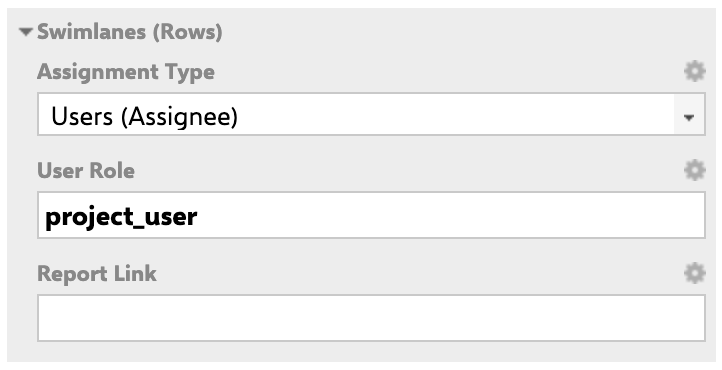
Report Link Example (Assignee Mode)
${r.objectId.itemId} placeholder is substituted with the user ID of the swimlane’s assignee.
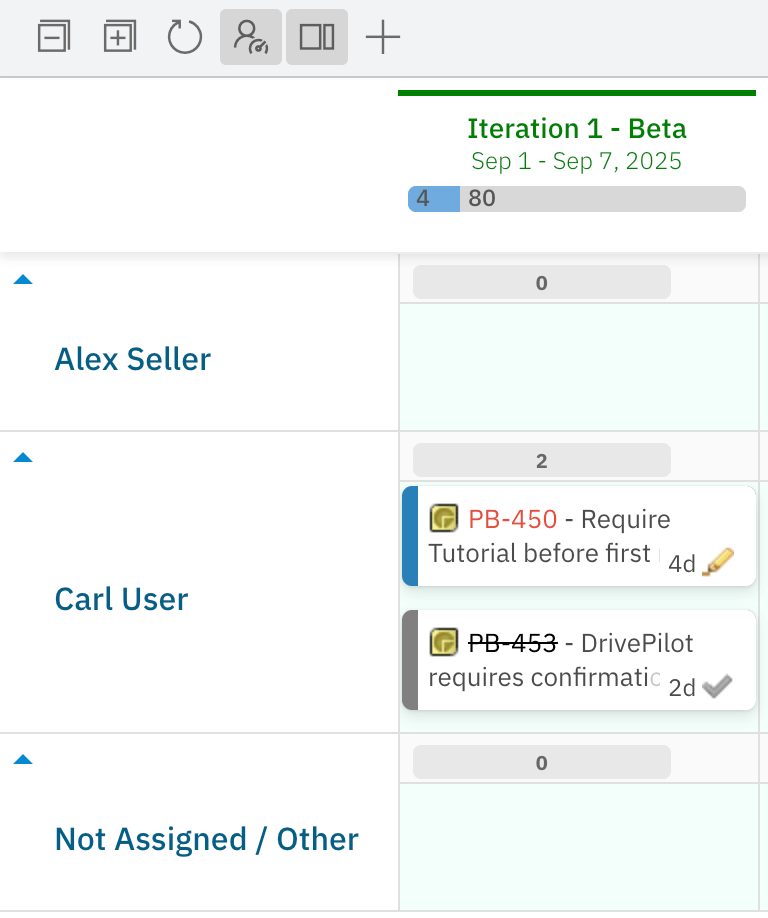
Example: Assignee Mode Configuration
Theproject_user role is configured in Administration > User Management > Roles. Users who hold this role in the project (e.g., Alex Seller, Carl User) each receive their own swimlane.
Parent Item Parameters
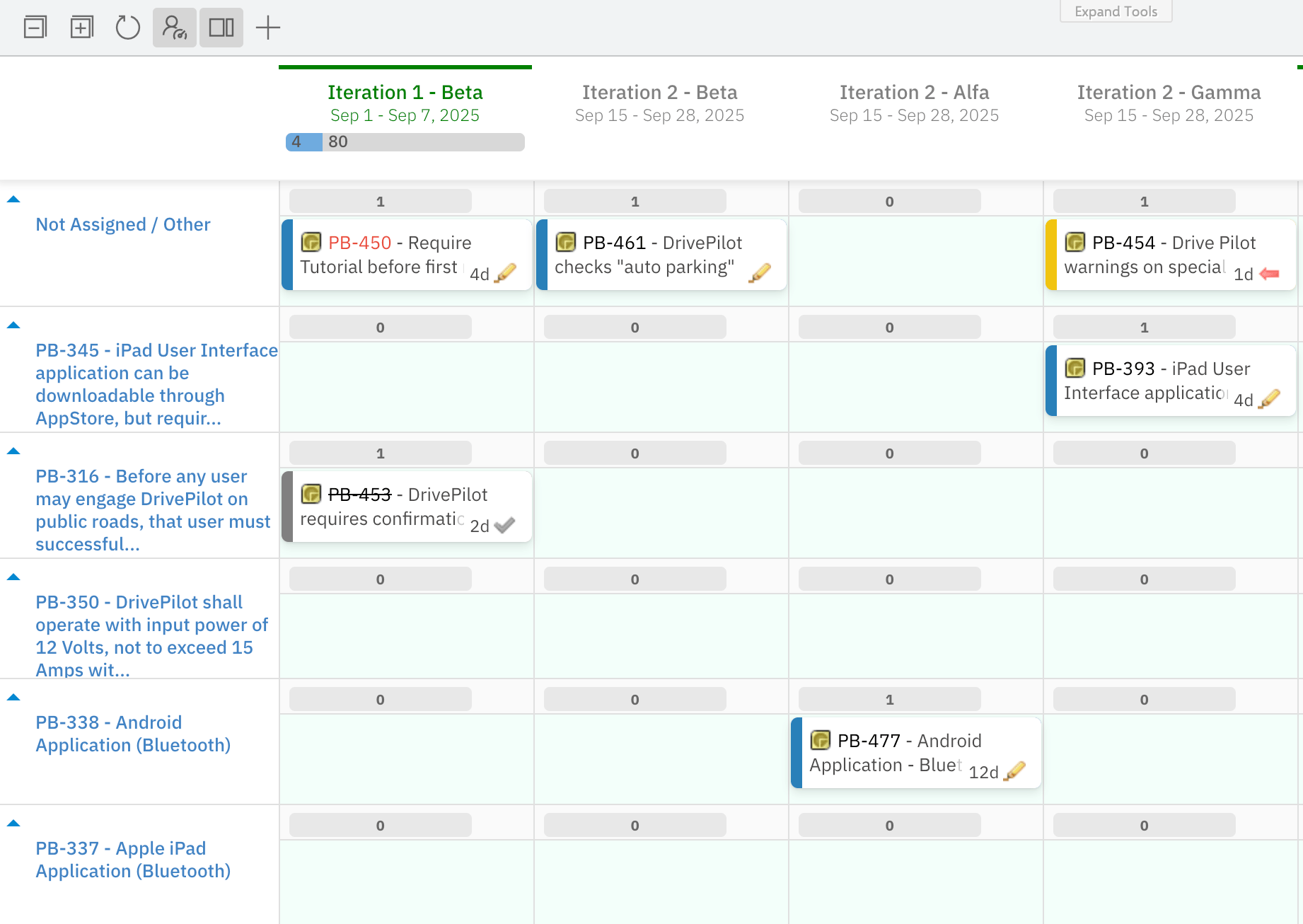
Applies whenassignmentMode is set to Parent Item (PARENT).
Enumeration Field Parameters
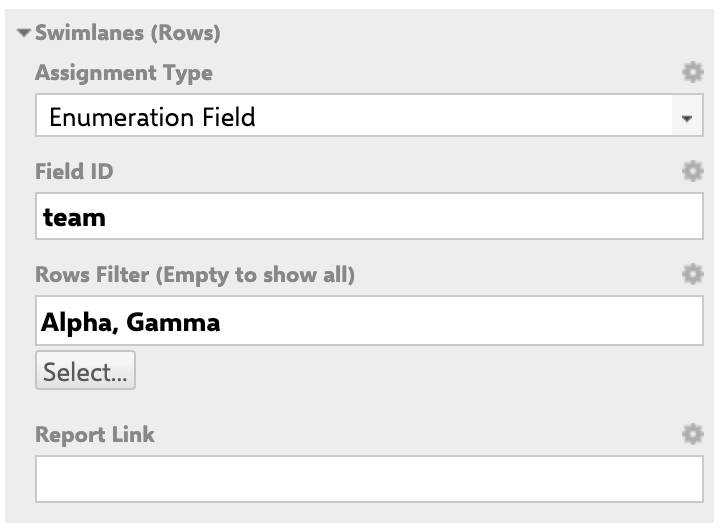
Applies whenassignmentMode is set to Enumeration Field (ENUM).
Rows Filter Behavior
- Empty filter (default): All enumeration values defined for the field and work item type are displayed as rows.
- Selected values: Only the chosen enum values appear as swimlane rows. Work items whose field value is not in the selected set do not appear on any row.
- Multi-enum fields: A work item with multiple enum values assigned to the field can appear in multiple swimlane rows simultaneously.
- Type-dependent values: Available enum values in the filter depend on the selected work item type. Different types may have different enumeration configurations for the same field ID.

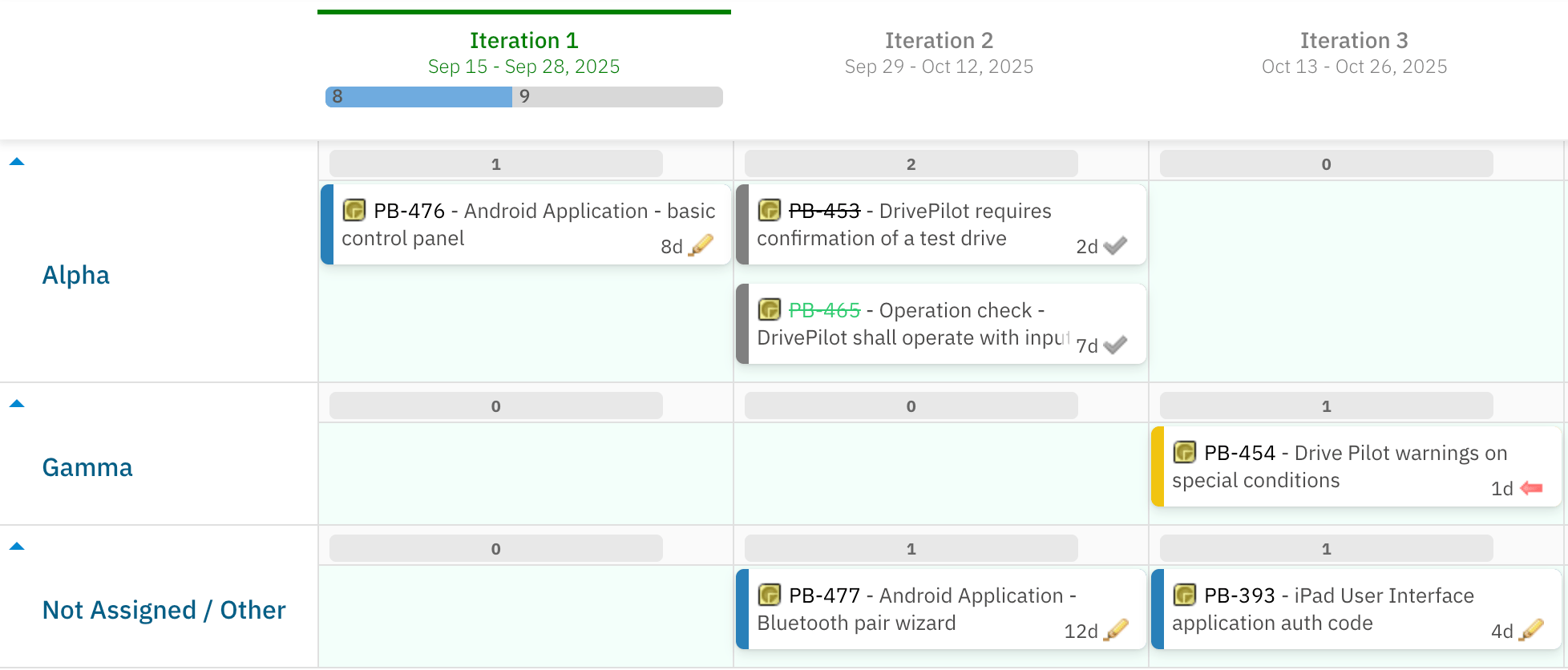
Example: Enumeration Field Mode
Field IDteam is configured as an enumeration custom field in the Polarion project. Setting enumFieldId to team creates one swimlane per team value.
Project Parameters
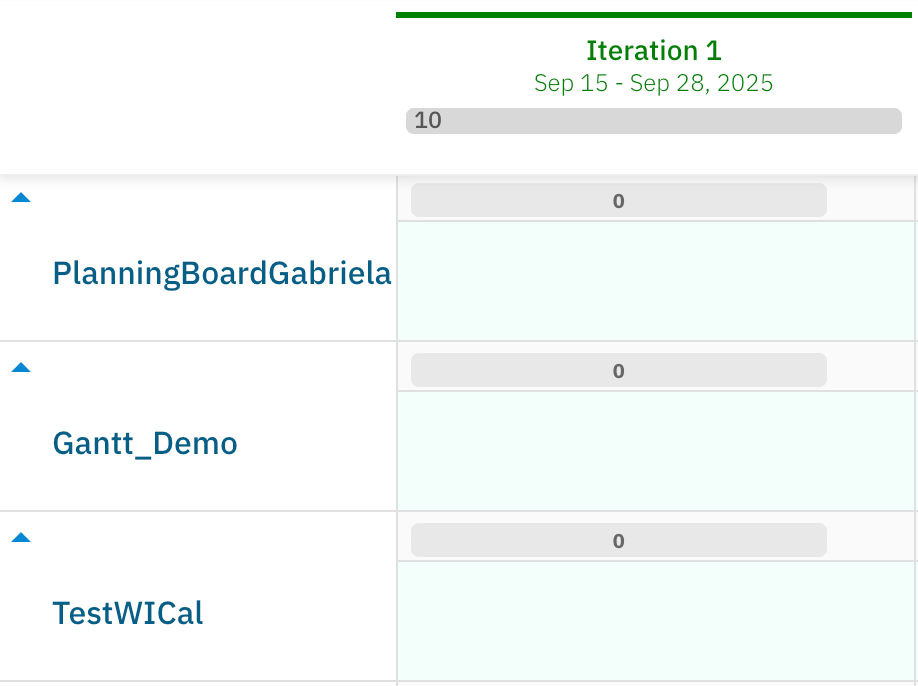
Applies whenassignmentMode is set to Project (PROJECT).
Use Project mode for cross-project planning boards where the board must display items from multiple Polarion projects simultaneously.
SAFe Assignment Type Parameters
Applies whenassignmentMode is set to Program / Solution Teams (SAFe) (SAFE_TEAM), Agile Release Train Teams (SAFe) (SAFE_TRAIN_TEAM), or Programs (SAFe) (SAFE_PROGRAMS).
Verify in applicationSAFe swimlane types require dedicated SAFe configuration in your Polarion environment. Contact Nextedy support for setup guidance before configuring these modes.
For more detail on SAFe assignment modes, see the SAFe Team Mode, SAFe Train Team Mode, and SAFe Programs Mode reference pages.
No Swimlanes Parameters
Applies whenassignmentMode is set to No Swimlanes (none).
When No Swimlanes is selected, all swimlane grouping is disabled. All work items appear in a single unified planning area. There are no per-row parameters to configure in this mode.
Use this mode when you want to focus on column-level (Plan) organization without horizontal grouping — for example, for high-level release overviews or quick board views.
Swimlane Sort Options
TheswimlaneSort parameter applies to Assignee, Parent Item, and Enumeration Field assignment modes and controls the vertical ordering of swimlane rows.
Sort CouplingSwimlane sort order is coupled to the work item sort order within each lane. Reordering swimlanes may affect how cards are arranged within those lanes. This is a known characteristic of the current sort implementation.
Common Parameters (All Assignment Types)
The following parameters apply regardless of the selected assignment type.Report Link Parameter
ThereportLink parameter is available on all assignment types that have a named resource (Assignee, Parent Item, Enumeration Field, Project). It adds a clickable link to each swimlane label that opens an external report or page.
The link URL is a template string that can reference the swimlane’s associated resource:
Report Link Example
SOME_REPORT, passing the current swimlane’s user as a page parameter.
Page Parameters for Dynamic Swimlane Filtering
Planningboard supports Polarion page parameters ($pageParameters.xxx) for dynamic swimlane filtering.
Requirement: Team Work Item Type ID
When using swimlane filtering with Nextedy Team work items, the Team work item type ID must be exactlyteam. Custom Team work item type IDs are not supported in Planningboard (unlike Nextedy Gantt, which supports custom Team work item type IDs from version 25.5.0 onwards).
Multi-Team Deployment Options
Configuration Example
The following widget parameter configuration sets up a Planningboard with Parent Item swimlanes, sorted bypriority, showing only parents matched by a query, with a report link.
- Groups work items into swimlanes by their linked parent Feature.
- Restricts visible swimlanes to open Features only (
status:open). - Sorts parent swimlanes by the
prioritycustom field (available from Planningboard 25.9.0). - Hides empty parent swimlanes.
- Adds a report link on each swimlane label pointing to a Feature-specific report page.
Swimlane Board Layout Diagram

Limitations
- Custom Team work item type IDs are not supported in swimlane configuration. The Team work item type must use the exact ID
team. Gantt (25.5.0+) supports custom Team work item type IDs as an alternative. - Page parameters for swimlane filtering accept string type only. An enum picker dropdown is not currently available (under investigation).
- Parent Item swimlane sorting by custom property is available from Planningboard 25.9.0. Earlier versions support only alphabetical sorting.
- Swimlane sort order is coupled to item sort order within each lane. Changing the swimlane sort may affect card ordering within those swimlanes.
- No multi-assignee swimlane support. Work items with multiple assignees are assigned to a single swimlane based on the primary assignee. This is a known gap versus Nextedy Gantt’s capacity model.
Related Reference
- Assignment Modes — detailed reference for each assignment mode
- Assignee Mode
- Parent Item Mode
- Enumeration Field Mode
- Project Mode
- No Swimlanes Mode
- Capacity Parameters — configure capacity bars on swimlanes
- Plans (Columns) Parameters — configure the columns of the board
- Swimlane Controls — collapse/expand and toolbar interactions
- Widget Parameters — overview of all widget parameter groups