
Import checklist text into a template work item

  1. Open the work item that acts as your checklist template.
  2. Run the Text Edit action on the checklist custom field.
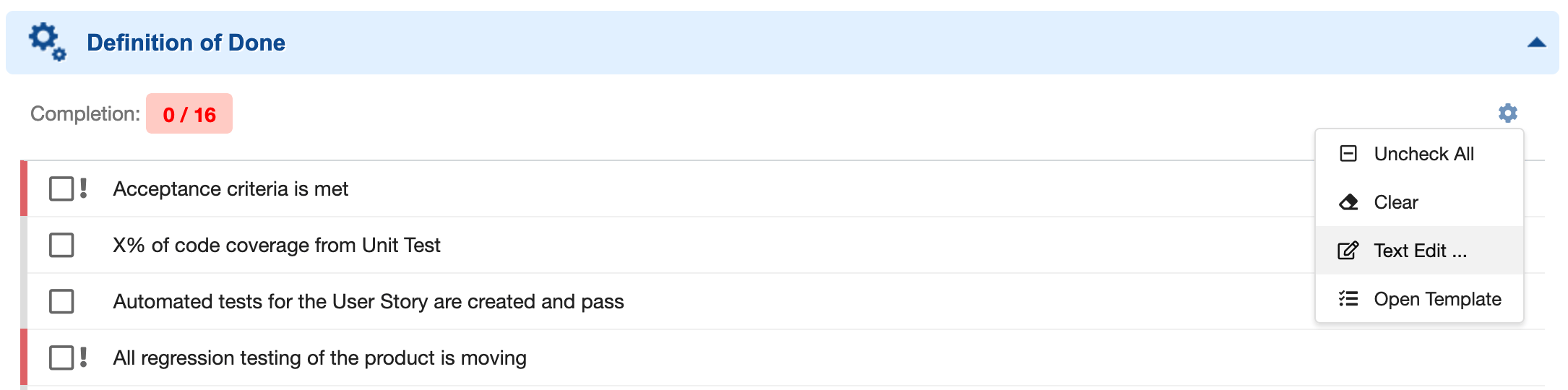
    Text Edit action on the checklist field
  3. In the text editor that opens, paste the checklist definition. Each line you paste is parsed as one checklist item.
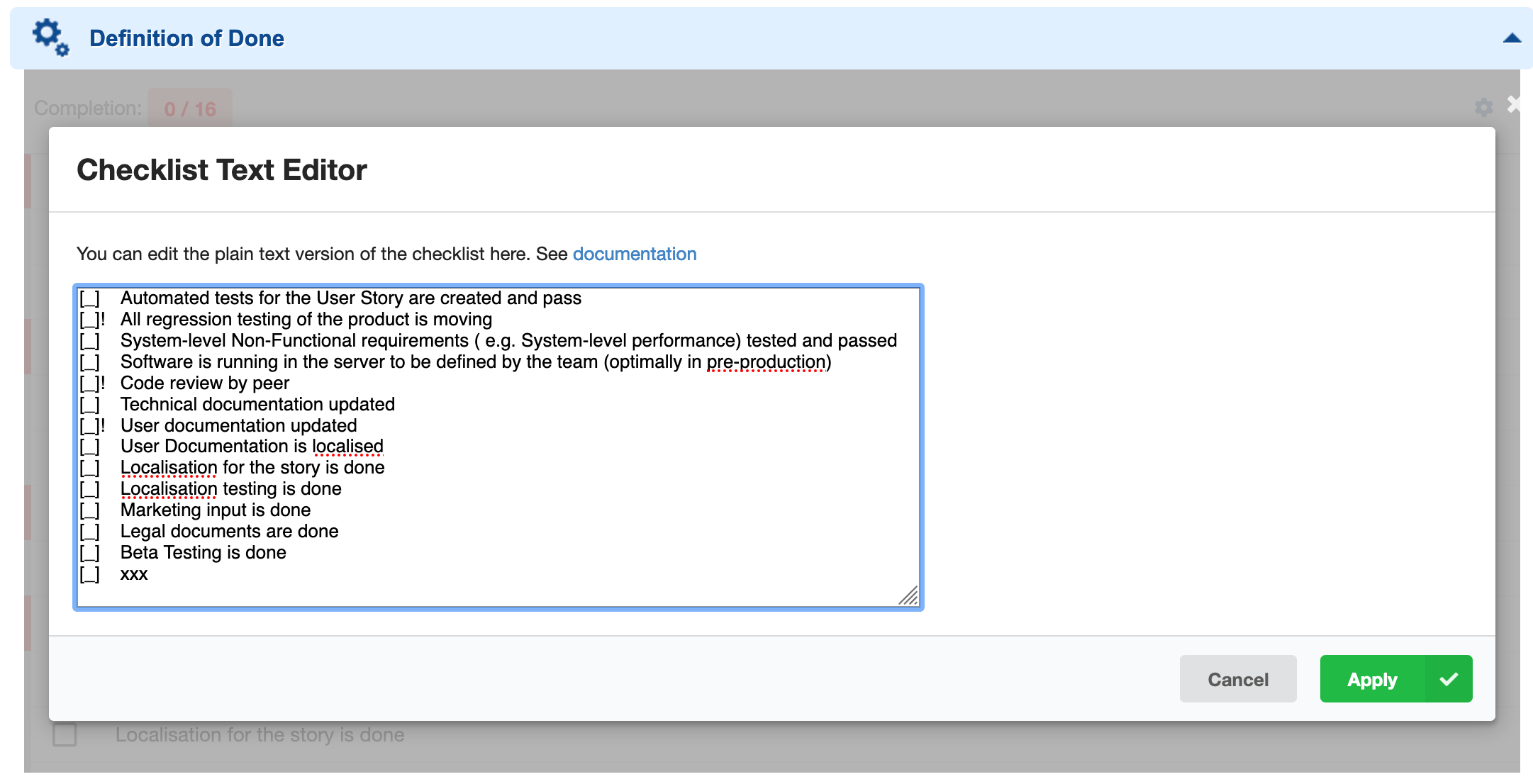
    Checklist text editor accepting pasted content
  4. Save the work item.
Verify in applicationThe gathered context confirms that each pasted line becomes a new checklist item, but does not document the full line syntax (result/text separators, mandatory markers, notes, or descriptions) for this specific import flow. Check Create a Checklist Template and your in-app help for the exact per-line formatting before pasting a large checklist. The gathered context confirms that each pasted line becomes a new checklist item, but does not document the full line syntax (result/text separators, mandatory markers, notes, or descriptions) for this specific import flow. Check Create a Checklist Template and your in-app help for the exact per-line formatting before pasting a large checklist.
Pasted source text flowing through the Text Edit dialog into parsed checklist items

Reuse the imported content as a shared template

Once your template work item holds the imported checklist, point other work items or documents at it using a configuration property, so the same imported content is reused everywhere instead of copy-pasted again:
For a document-level checklist template:
Reuse a single import across every work item type that needs itA support ticket clarified that a checklist template is not automatically shared across work item types — each type must have its own workItemTemplateId property explicitly pointing at the template work item, even when they should use the same imported content. After importing the checklist once into a template work item, add a nextedy.checklist._TYPEID_._FIELDID_.workItemTemplateId property for every type that needs it (for example, both epic and userstory), all pointing at the same template ID.
Polarion built-in templates can duplicate imported itemsIf you create the template work item using Polarion’s own built-in work item templates feature (rather than just importing text into a plain work item), be aware of a known Polarion bug: copying data from a template to a new item silently converts the field from Text to Richtext, which can duplicate checklist items. The workaround:
  1. Open the workflow configuration for the work item type.
  2. Select the init action.
  3. Add the function ChecklistResetToTemplate.
  4. Add a parameter named checklist with the value set to the ID of your checklist custom field.
This resets the checklist immediately after item creation, which also corrects the field type. This is a Polarion platform issue, not a Nextedy Checklist defect, and Nextedy has reported it to Siemens.

Import into a cross-project template

If the template work item receiving the imported text lives in another project, reference it using the PROJECTID:WORKITEMID syntax after importing:
See Shared and Cross-Project Templates for the full cross-project pattern, including a documented limitation for cross-project document templates.

Verification

You should now see the pasted lines rendered as individual checklist items on the template work item, in the same order they were pasted. Any work item or document configured with a workItemTemplateId / documentTemplateId pointing at this template picks up the imported items the next time the template is applied.

See also

KB Articles
  • How to create checklist template?
  • How to import a checklist?
  • How to reset Checklist to the Template on WI type change
Support TicketsSource Code
  • proc-checklist-src/com.nextedy.polarion.checklist/src/com/nextedy/polarion/checklist/internal/ChecklistAdminService.java
  • proc-checklist-src/com.nextedy.polarion.checklist/src/com/nextedy/polarion/checklist/internal/ChecklistSetupService.java
  • proc-checklist-src/com.nextedy.polarion.checklist/src/com/nextedy/polarion/checklist/ChecklistProduct.java
  • proc-checklist-src/com.nextedy.polarion.checklist/src/com/nextedy/polarion/checklist/internal/ChecklistService.java
  • proc-checklist-src/com.nextedy.polarion.checklist/src/com/nextedy/polarion/checklist/wf/ChecklistResetToTemplate.java
Last modified on August 31, 2026