

checklist argument identifying which checklist custom field(s) to operate on. Multiple checklists can be validated in a single call by supplying a comma-separated list of custom field IDs.
Functions vs. conditionsWorkflow functions are actions: they execute during a transition and can throw a blocking error, apply a template, or mutate checklist state. Workflow conditions are guards: they evaluate to true/false to enable or disable a transition, and can supply a human-readable failure message explaining why a transition is unavailable.

Workflow Functions
Workflow functions are attached to a transition’s action list inworkflow.xml. They execute when the transition runs.
ChecklistFailIfMandatoryUnchecked
Parameters
Fails the transition if any mandatory item in any specified checklist is not checked. If the checklist’s
allMandatory configuration is enabled (see Template Configuration Properties), the transition is also blocked unless every item is checked, not only mandatory-flagged ones. On failure, the error message names the specific checklist field (its custom field display name) so users can identify which checklist blocked the transition.
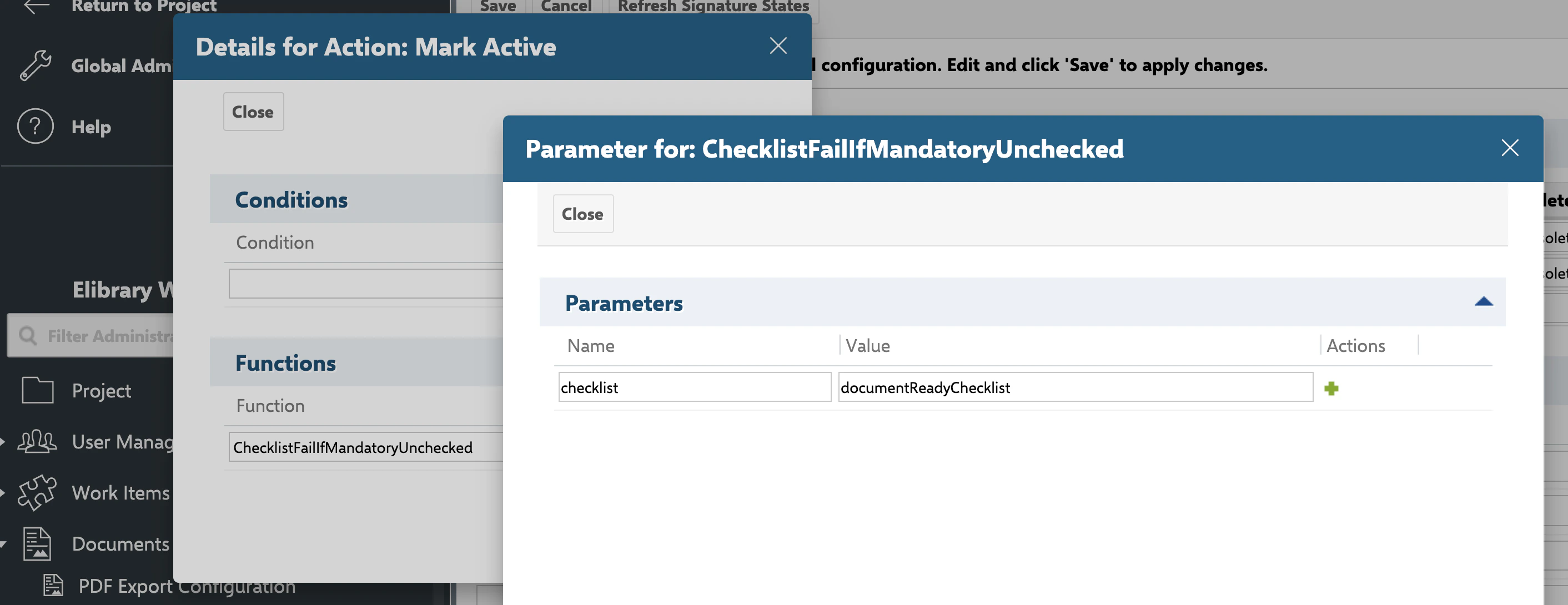
ChecklistFailIfAnyUnchecked
Parameters
Throws an error if the specified checklist has any item not checked (stricter than
ChecklistFailIfMandatoryUnchecked, which only requires mandatory items).
ChecklistUncheckAll
Parameters
Unchecks all checklist items, clearing their result state so the checklist reads as not checked, without removing the item definitions themselves.
ChecklistResetToTemplate
Parameters
Resets the checklist to the state defined by its template, removing all local additions and discarding any recorded progress.
ChecklistApplyTemplate
Parameters
Applies the configured checklist template to the specified checklist field(s) on the target object by re-parsing the field (which merges the template into whatever content is already stored) and immediately saving the result.
Merge semantics confirmed — not destructiveConfirmed directly from
IChecklistService.applyTempate’s implementation (store(parse(target, field), target, field)): calling ChecklistApplyTemplate on a field that already has data does not discard existing progress. It performs the same merge-on-parse behavior as a normal read (see Template Merge Behavior) — items matched by id keep their recorded result, while label/mandatory/description are refreshed from the template — then persists that merged result. This is distinct from ChecklistResetToTemplate above, which discards all existing content unconditionally.Workflow Conditions
Workflow conditions are attached to a transition’s condition list. They evaluate to true/false and can gate whether the transition is even offered to the user.ChecklistAllChecked
Parameters
ChecklistMandatoryChecked
Parameters
If the checklist’s
allMandatory configuration is enabled, this condition requires all items to be checked, not only mandatory-flagged ones — matching the corresponding behavior of ChecklistFailIfMandatoryUnchecked.
Practical Example — DoD Gate on Transition to “Done”
Comma-Separated Multi-Checklist Syntax
All functions and conditions on this page accept more than one checklist field by comma-separating custom field IDs in thechecklist argument:
Accessing Checklist State Programmatically
Workflow functions and conditions are built on the same checklist service accessible from custom Java code:ChecklistUncheckAll and the other built-in functions on this page, and is the documented path for writing custom workflow functions or conditions — for example, to check that all checklist questions are answered as either ok or not-ok, since no predefined function currently covers that specific gate. See IChecklistService and Velocity Rendering API for the full service reference and additional code examples (parsing a checklist field, reading ChecklistItem.checked/label, and calling reset() from a custom function).
Related Configuration
- Template Configuration Properties —
workItemTemplateId,documentTemplateId, andallMandatory, which interact withChecklistApplyTemplateandChecklistResetToTemplate. - Permission, Freeze, and Read-Only Properties —
adminPermissionproperties controlling who can edit checklist structure, distinct from workflow gating. - IChecklistService and Velocity Rendering API — the underlying service API used both internally by these functions and for custom scripting.
- Checklist, ChecklistItem, and CheckItemResult — the data model these functions operate on.
- Summary Field Reference — how checklist completion is aggregated for reporting outside of workflow gates.