


Purpose
A summary field is a separate custom field that holds the completion state of a checklist (for example, a count of checked vs. total mandatory items), so that checklist status can be shown or queried without opening the checklist itself.Setup
Setting up a summary field is optional and requires three steps.Step 1 — Create the summary custom field

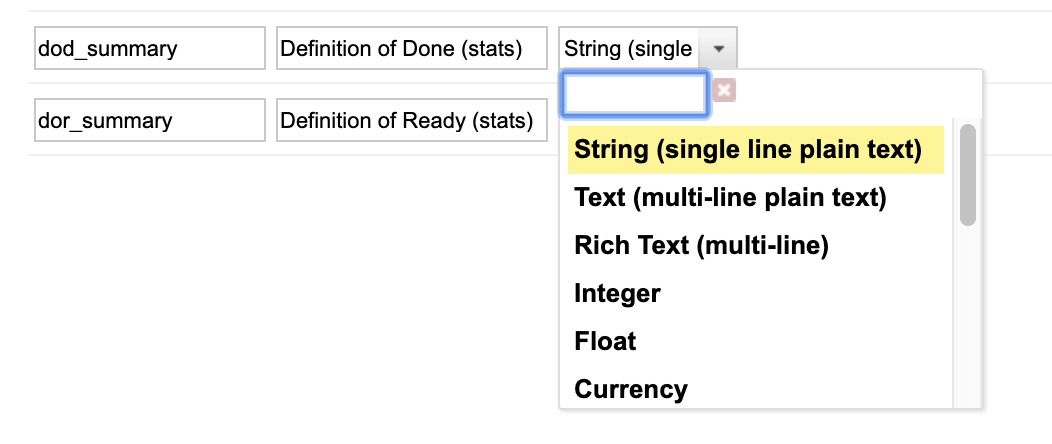
Step 2 — Make the field read-only
The summary field must be made read-only using the read-only fields configuration page, not via permissions.Step 3 — Enable summary calculation via configuration property
Example, for the
userstory work item type summarizing the dor checklist:
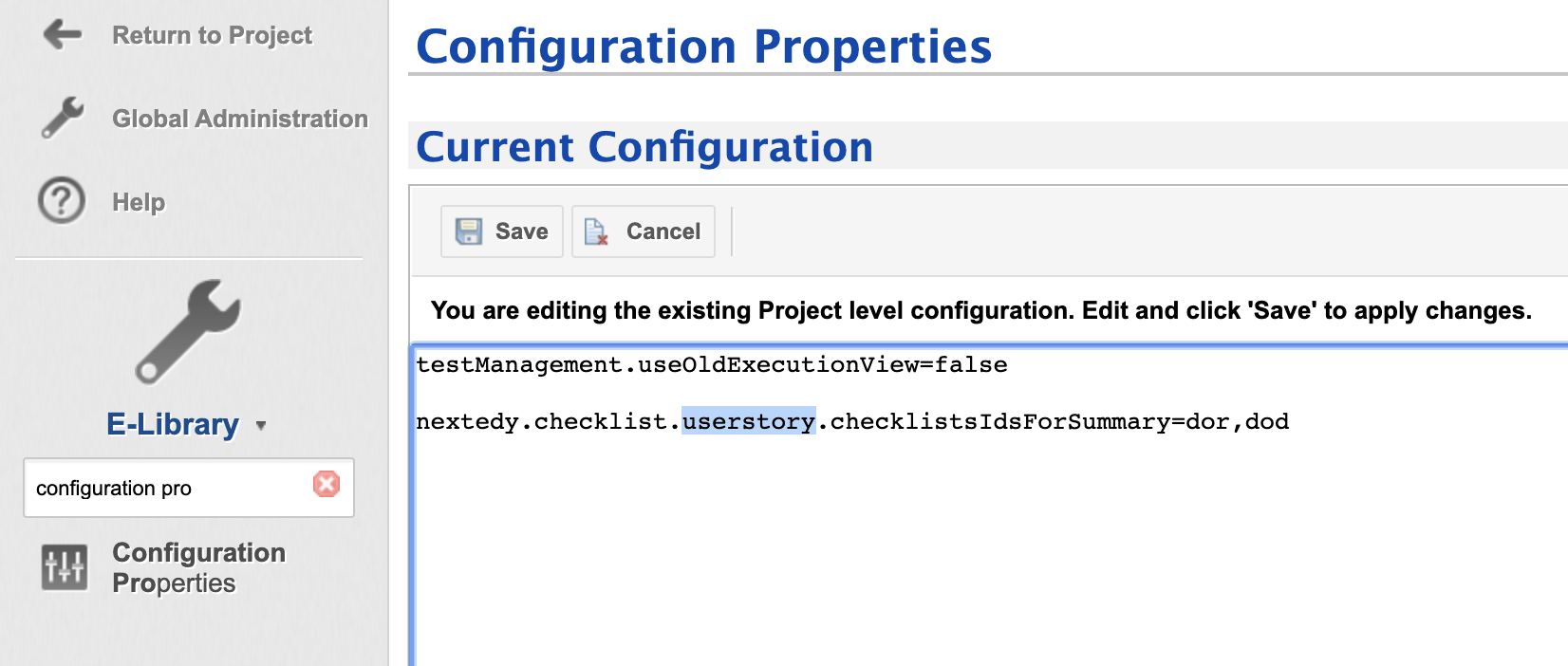
One entry per checklist field IDList each distinct checklist field ID you want summarized, separated by commas (for example
dor,dod to summarize two checklists on the same type). The property does not deduplicate values, so listing the same ID twice (dor,dor) has no effect beyond redundancy.How the summary is computed
Summary computation happens automatically on every save of the work item, via a save hook that intercepts persistence.Automatic reset on type change — only for checklists listed in checklistsIdsForTypeChangesWhen a work item’s type changes and the previously saved revision had a different type, the save hook resets (clears) any checklist field that both (a) currently holds data and (b) is listed in
nextedy.checklist._TYPEID_.checklistsIdsForTypeChanges for the work item’s type (see Property Hierarchy and Precedence Reference) — not every checklist field on the work item unconditionally. This prevents checklist state from a prior type from lingering after a type change.Advanced — disabling summary and save-hook processing
Server-wide, not per-projectThis property is not scoped to a project or work item type. It is a JVM-level switch affecting checklist save-hook behavior across the entire server. Use only for troubleshooting or advanced administrative scenarios.
Reporting and export limitations
Surfacing checklist completion outside the individual work item — in LiveReport tables, dashboards, or exports — has no confirmed built-in mechanism beyond the summary field itself.Summary field vs. Velocity scripting
See also
- Checklist, ChecklistItem, and CheckItemResult — the
getSummaryText()method andsummaryMessageFormattokens underlying summary rendering. - IChecklistService and Velocity Rendering API — scripting access for per-item progress not covered by the summary field.
- Template Configuration Properties — related configuration property hierarchy.