

Step 1: Configure the Dependency Role
Before you can create dependency links, tell the Gantt which Polarion link role represents task dependencies:- Open the page in edit mode and access Widget Properties.
- Navigate to Work Items > Dependency Role.
- Select one or more link roles that represent dependency relationships (e.g.,
depends_on).
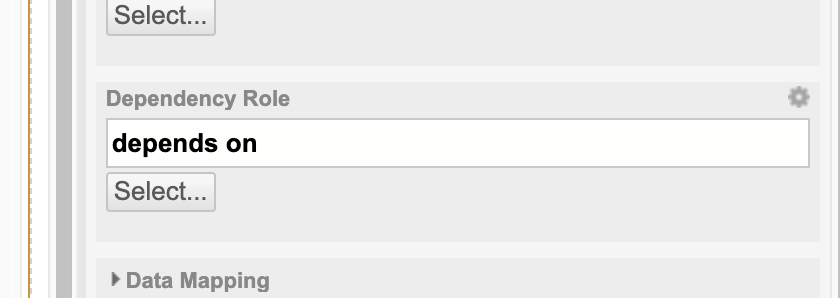
No dependency role = no linksIf the Dependency Role parameter is left empty, no dependency arrows are displayed in the Gantt chart, and users cannot create new links.
Step 2: Create a Dependency Link Visually
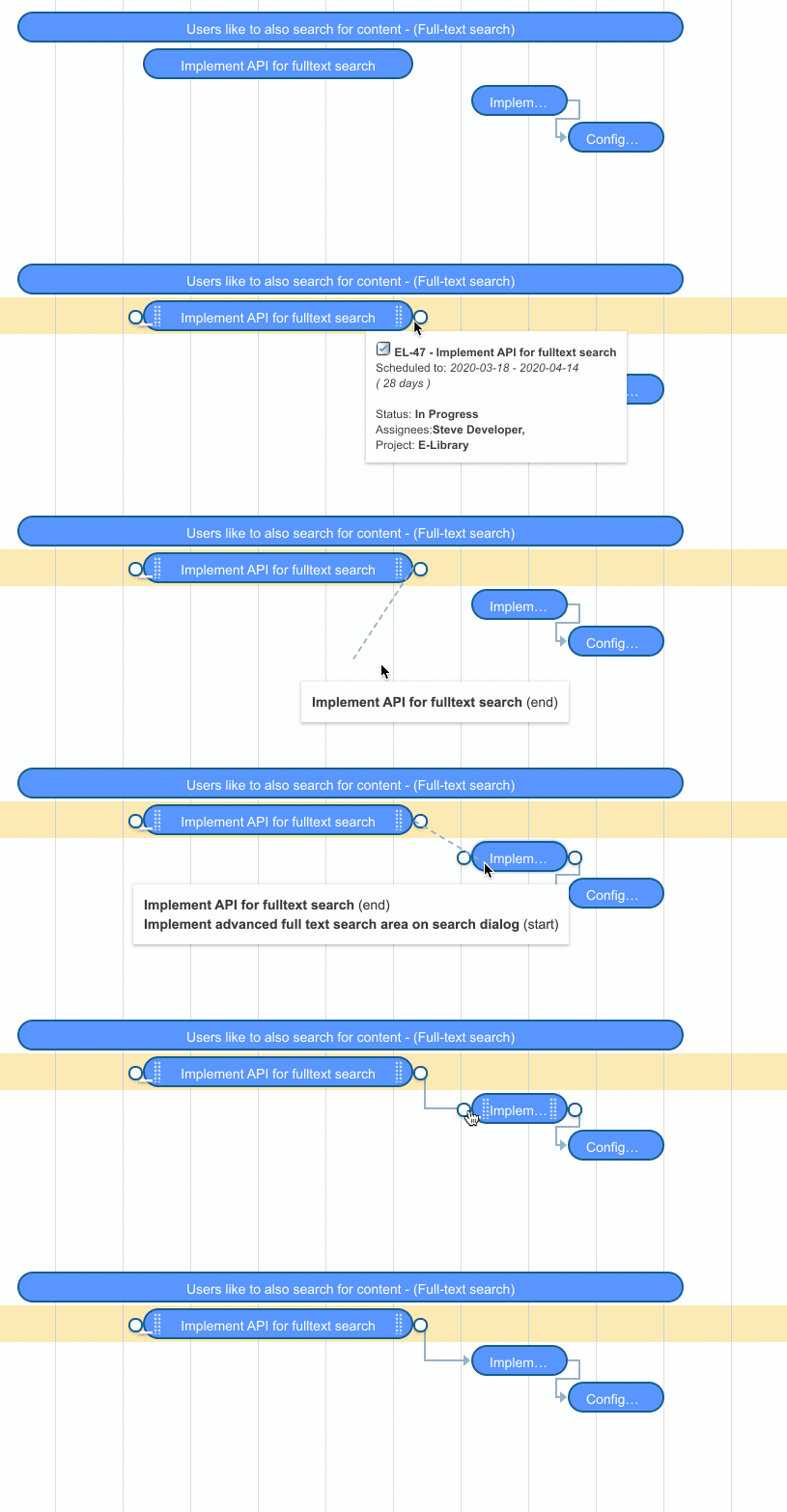
With the Dependency Role configured and the Gantt in edit mode:- Hover over a task bar to reveal the link handle circles at the left and right edges.
- Click and drag from one task’s link handle to another task.
- Release the mouse on the target task to create the dependency link.


Step 3: Understand Link Direction
By default, Polarion’sdepends_on link role connects the dependent item to its source. Gantt automatically reverses the arrow direction so it displays correctly on the Gantt chart (from predecessor to successor).
If your Polarion project uses a custom link role where the source points to the dependent item, set the following configuration property in Administration > Configuration Properties:
Dependency Types
The default dependency type is Finish-to-Start (FS): the successor cannot start until the predecessor finishes. For advanced dependency types (SS, FF, SF), see Configure Advanced Dependency Types (FS, SS, FF, SF).Step 4: Delete a Dependency Link
To remove a dependency link:- Enter edit mode.
- Click on the dependency arrow between two tasks.
- Confirm the deletion when prompted.
Verification
You should now see:- Dependency arrows displayed between linked tasks on the Gantt chart
- The ability to create new links by dragging between task bars in edit mode
- Arrows pointing from predecessor to successor in the correct direction