

Prerequisites
- Access to the sheet configuration (the configuration editor at Menu > Configuration > Edit Risksheet Configuration…)
- Users who should edit assignees in the grid need write permission to the work items’ assignee field — see Configure Permissions
1
Add the Column Definition
Open sheet configuration and add a column bound to the No
assignee field:type is needed. Bound to assignee, the column is detected automatically: it shows and edits every assignee of the risk item, listing them by name, and its user list defaults to project_assignable. Editing the cell opens the users in a drop-down with a Search… box where you check each one to assign.2
Restrict to a Single Assignee
A Polarion work item can have several assignees, so a column bound to
assignee is multi-value by default. To keep a column to one assignee, add multiple: false:An untyped column bound to
assignee was read-only before multi-assignee support, so existing sheets gain an editable multi-value picker without being reconfigured. See Restoring Single-Value Behaviour to pin one back to a single assignee.3
Filter the User List
The drop-down lists the users of
project_assignable, sorted alphabetically by name. To list a different set, add a userRole inside a typeProperties block:typeProperties is optional — omit it to keep the project_assignable default.4
Add Assignee to Downstream Tasks
To assign downstream mitigation tasks rather than the main risk item, bind the column to The 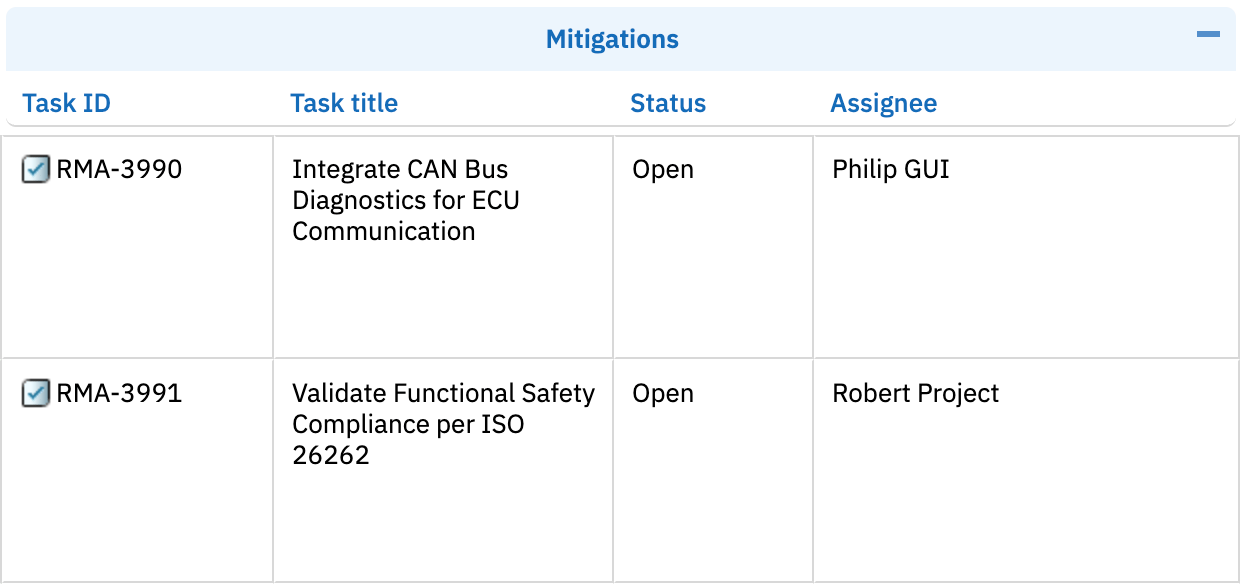
task.assignee:task. prefix maps the column to the downstream task work item, not the main risk item (matching the other downstream bindings task.title, task.type, task.status). Like the risk-item column it is multi-value by default; add multiple: false for a single task assignee.readOnly: false to make it editable:Verification
Save the configuration and reload your Risksheet. You should now see the Assignee column in the grid. Click on a cell to open the user drop-down. Select a user — or, in a multi-value column, check several — then save the sheet. Assignee changes are written to Polarion only when you save; reloading before saving discards them. Verify the assignment is saved correctly by refreshing the page.See Also
- User Reference Columns — single and multi-value user columns, the automatic assignee and every column property
- Add a Basic Column — general column configuration
- Enable Editing of Upstream Columns — make linked columns editable
- Configure Permissions — control who can edit assignments
- Configure Enum Columns — set up dropdown selection columns