

Same Files, Two Views
Add a file in either place and it is the same attachment. Delete it in either place and it is gone from both.
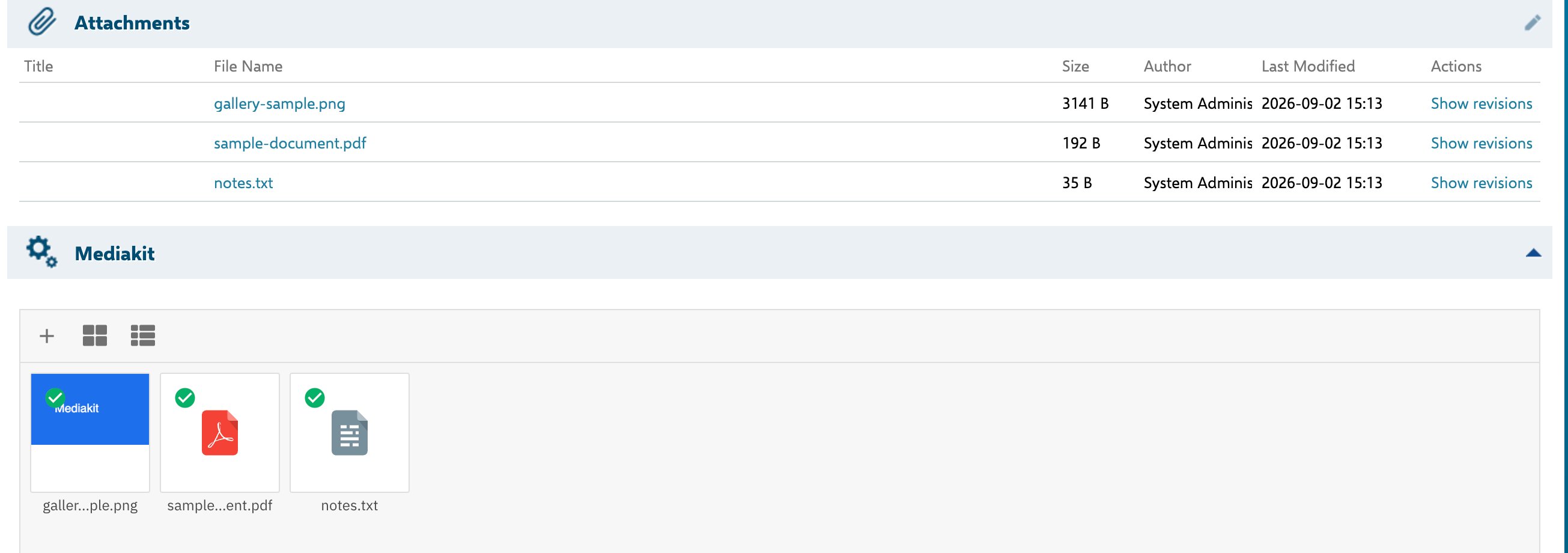
The same three files, shown by Polarion's Attachments table and by the Mediakit gallery below it
Whether to Show Both
That is a project decision, and both arrangements are reasonable. Keeping both gives readers the gallery for recognising images and the table for the precise metadata — file size, author and modification date in a scannable column layout. Showing only the gallery makes for a shorter form, at the cost of that table; the same metadata is still available in the gallery’s list view. You control this per work item type when you add the gallery — the gallery and theattachments field are separate entries in the form layout, and either can be left out.
One Behaviour to Know About
This is worth knowing before it surprises someone: a user who uploads through the gallery, glances at the Attachments table and sees no new row may reasonably conclude the upload did not work, and upload again.Related
What Mediakit Does
The gallery as a view over Polarion attachments.
Uploading Files
Add files, and what happens when a name already exists.