

1
Choose a Remove Strategy
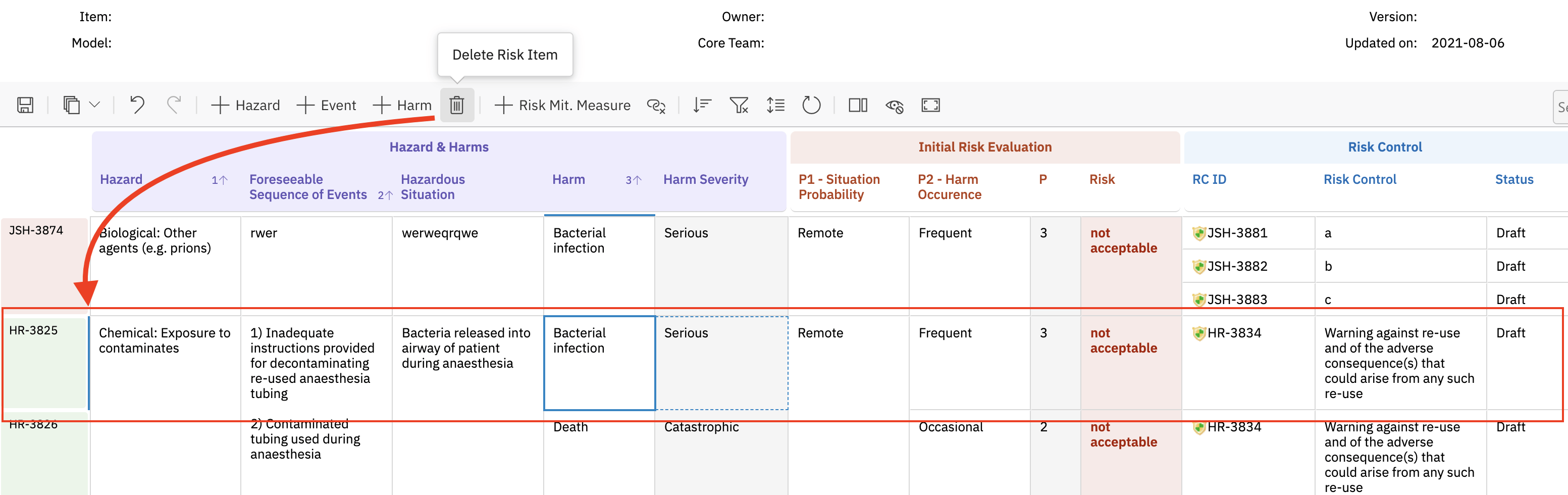
dataTypes.risk.removeStrategy property in the sheet configuration determines what happens when a user removes a risk item from the grid. Risksheet supports four removal strategies. The default is delete, which permanently removes the work item from Polarion:
rejected, recycle_bin, or hide strategies are recommended over hard delete. The hide strategy (v23.7.7+) is the lightest touch — the work item is untouched, and visibility is controlled purely through the configured rejectedStatus filter.2
Configure Status-Based Soft Delete
For the
rejected and hide strategies, configure the rejected status properties in the sheet configuration. These hide the item from the grid by transitioning it to (or filtering it by) a specific workflow state:When a user removes a risk item with the
rejected strategy, Risksheet executes the workflow action, setting the item’s status and resolution. Items in the rejectedStatus are automatically filtered from the grid view. With hide, the work item itself stays unchanged — only the grid’s filter on rejectedStatus controls visibility.3
Verify Workflow Configuration
Ensure your Polarion work item workflow supports the configured transition:
- Open the Polarion workflow editor for your risk work item type
- Verify that the
rejectaction (or your configuredrejectedAction) is available from all active states - Confirm the action transitions to the
rejectedstatus (or your configuredrejectedStatus) - Ensure the
rejectedstatus allows the configured resolution value
Electronic signatures are not supportedRisksheet does not support electronic signatures for rejection workflows due to Polarion API limitations. If your process requires signatures when rejecting items, split the rejection into a Risksheet action (without signature) and a separate Polarion workflow action (with signature) performed outside Risksheet.
4
Configure Task Removal Behavior
Downstream task items have their own removal logic with two distinct behaviors depending on whether the risk item has single or multiple tasks:
- Multiple tasks: the task row is deleted from the grid, and the link relationship is removed
- Single task: the task fields are cleared from the row, but the risk item row is preserved
5
Restrict Item Creation
To prevent users from creating new items directly in Risksheet (ensuring all required fields are filled in Polarion), the sheet configuration offers two controls:
- Set
canCreate: falseondataTypes.taskto globally disable task creation from the grid - Set
canCreate: falseon individualitemLink,multiItemLink, ortaskLinkcolumn configurations to allow linking existing items only
Verification
After saving your sheet configuration:- Open a Risksheet document with risk items
- Right-click on a risk item to open the context menu
- Select the remove option
- For
delete: confirm the item is permanently removed from Polarion - For
rejected: confirm the item disappears from the grid and that its status and resolution match the configured values in Polarion - For
recycle_bin: confirm the item is no longer visible in Polarion’s main views but can be recovered from the recycle bin - For
hide(v23.7.7+): confirm the item is hidden from the grid but still exists unchanged in Polarion, and reappears when therejectedStatusfilter is cleared
delete strategy, items are hidden from Risksheet but remain as work items in Polarion — all data continues to live in Polarion and is subject to Polarion authorization and audit. You can find soft-removed items using Polarion queries that include the rejected status, and restore them by changing the status back to an active state.
See Also
- Configure Multiple Risk Types — risk type configuration
- Configure Downstream Tasks — task data type setup
- Configure Permissions — access control for removal actions
- Customize the Context Menu — context menu options
- Configure FMEA Workflows — FMEA workflow with reject actions