

Overview
The standard Work Items Gantt shows only work items. The Plans Gantt mode lets you visualize multi-level structures such as:- Release (Polarion Plan) > Iteration (Polarion Plan) > Work Package (work item) > Task (work item)
1
Add the Plans Gantt Widget
- Open a Polarion wiki page in edit mode.
- Add a Gantt (Plans) widget to the page.
- Configure the Plans data set parameter to select which plans appear. For example, filter by plan template
Releaseto show only release-level plans at the top.
2
Configure Plan Type Hierarchy
In the widget parameters, navigate to Plan Types Configurations: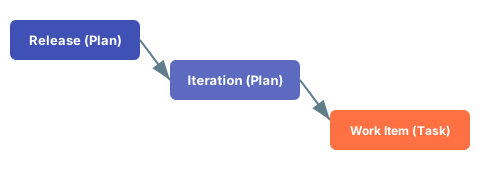
- Define which plan types you use (e.g., Release, Iteration).
- For each plan type, specify which other plan types are allowed as parents. Unlike work items, plans do not use parent-child linking roles — you only specify the allowed parent plan types.
3
Enable Show Plan Work Items
Scroll down in the widget parameters to the Show Plan Work Item section:
- Toggle Enable Show Items to display work items within plans.
- Configure the Data mapping fields for work items: Start Field, End Field, Duration Field, and Progress Field.
Optional sectionShowing work items under plans is optional. Some configurations only display the plan hierarchy without individual work items.
4
Configure Work Item Types for Plans
In the Work Item Types Configuration section within the Plans Gantt parameters, define which work item types appear under plans. This configuration is identical to the Work Items Gantt setup:
- Set the Item Type to display
- Choose the Gantt Presentation Mode (Item, Derived Schedule, Auto-Mode, or Milestone)
- Configure Parent Mode and Parent Types to control hierarchy placement
5
Set the Load Children Depth
Set the Load Children parameter to control how many child levels of the hierarchy to display. The value counts child levels below the top-level plans, so
0 shows only the top-level plans. For example:0— Shows only the top-level plans1— Shows plans and their child plans2— Shows plans, child plans, and one more level (e.g., work items)3— Shows plans, child plans, and two further levels
3 and configure the Parent Link Roles to load work item children.