

Understand Static vs. Dynamic Coloring
Before writing color scripts, choose between two coloring modes:
Default Color Legend
Out of the box, the Gantt chart uses these dynamic colors:Case 1: Date-Based Dynamic Coloring
Highlight tasks starting after today in green while keeping progress colors for all other tasks.
task.taskColor), so overdue and delayed tasks retain their red/orange indicators.
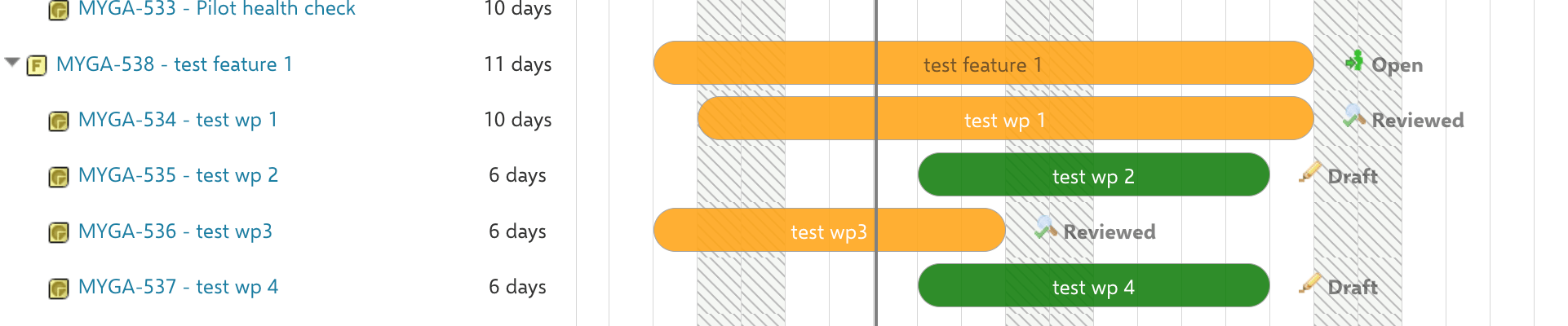
Case 2: Type and Status Static Coloring
Color tasks based on their work item type and status, overriding all automatic colors. In Widget Parameters > Advanced > Gantt Config Script: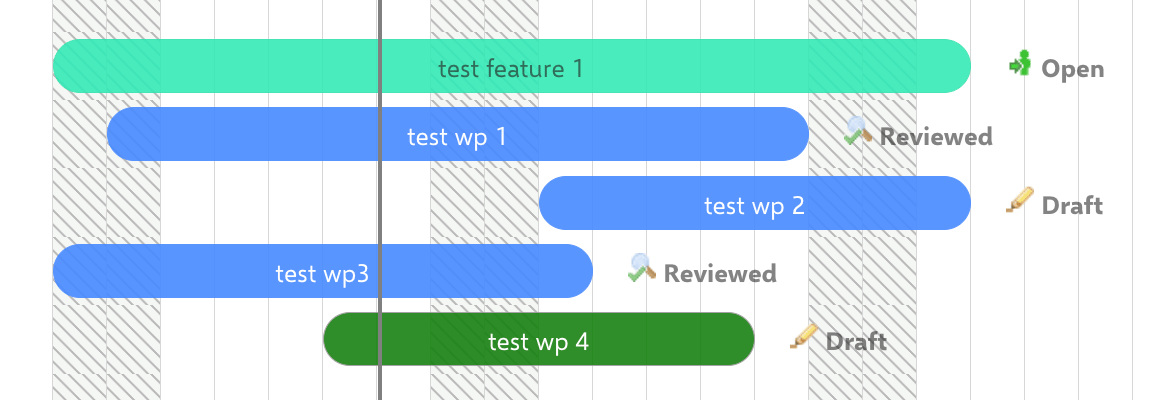
Case 3: Assignee-Based Coloring
Color tasks by their assigned user. This example uses dynamic coloring for a single-assignee scenario:Case 4: Overdue Highlighting Without Progress Colors
Show tasks with end dates in the past as red, with all other progress coloring disabled: In Gantt Config Script:Verify Your Changes
Save the page and reload the Gantt chart. You should now see task bars reflecting your custom color logic. Hover over individual tasks to confirm that the correct conditions trigger the expected colors.See Also
- Configure Item Colors for non-scripting color configuration
- Customize Progress-Related Coloring for the
progress_color_resolvedproperty - Write Item Scripts for Item Script fundamentals
- Write Gantt Config Scripts for Gantt Config Script patterns
- Migrate Scripts for Polarion 2304+ for syntax migration