

Prerequisites
- A powersheet document with server-rendered properties configured
- Access to Polarion server logs
- Familiarity with Velocity template syntax
1
Recognize the Error Marker
When a Velocity template evaluation fails, Powersheet displays 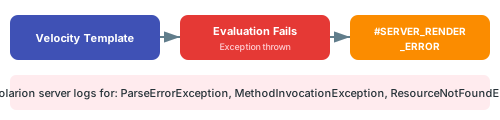
#SERVER_RENDER_ERROR in the affected cell instead of the computed value. This is a constant error marker that indicates a template configuration problem.2
Check Polarion Server Logs
The three most common exception types appear in the Polarion server logs when a template fails:
Open the Polarion server log file and search for these exception names to find the exact error message and line number.
3
Validate Template Syntax
Common Velocity syntax errors that cause ParseErrorException:
4
Add Null Checks
MethodInvocationException commonly occurs when accessing properties on null objects. Always guard against nulls:Key variables that can be null:
$module— null when entity is not document-scoped$wi— null when entity is not a work item- Custom field values — null when not set on the work item
5
Test with Simple Expressions First
When debugging a complex template, simplify to isolate the problem:
- Replace your template with a constant:
serverRender: "test"— verify rendering works at all - Add one variable:
serverRender: "$item.id"— verify context is available - Add the failing expression piece by piece until the error reappears
6
Verify Property Configuration
Ensure the property hosting the server-rendered expression is correctly configured:
Verify in applicationSome Polarion service methods may behave differently across versions. If a method call in your template causes errors, verify the method signature against your Polarion installation’s API documentation.
Common Error Patterns
Verify
After fixing template errors:- Open the powersheet document in Polarion
- You should now see computed values in all cells that previously showed
#SERVER_RENDER_ERROR - Test with work items that have empty or null fields to confirm null checks work
- Verify that the Polarion server logs no longer show template-related exceptions
See Also
- Create a Computed Property — setting up server-rendered properties
- Use Velocity Templates — template syntax reference
- Access Polarion Services — platform service usage
- Troubleshooting Guides — general troubleshooting resources