> ## Documentation Index
> Fetch the complete documentation index at: https://learn.nextedy.com/llms.txt
> Use this file to discover all available pages before exploring further.
# Add a Basic Column
> Add a new column to your Nextedy RISKSHEET grid by defining it in the sheet configuration sheet configuration.
export const LastReviewed = ({date}) => {
if (!date) return null;
const formatted = new Date(`${date}T00:00:00Z`).toLocaleDateString("en-US", {
year: "numeric",
month: "long",
day: "numeric",
timeZone: "UTC"
});
return
Last reviewed on {formatted}
;
};
Open the sheet configuration file attached to your Risksheet document. You can edit it through the configuration editor or directly as an attachment.
Add a new object to the `columns` array in your configuration. Each column requires at minimum a `bindings` and `header`:
```yaml theme={null}
{
"columns": [
{
"id": "failureDescription",
"bindings": "description",
"header": "Failure Description",
"width": 200
}
]
}
```
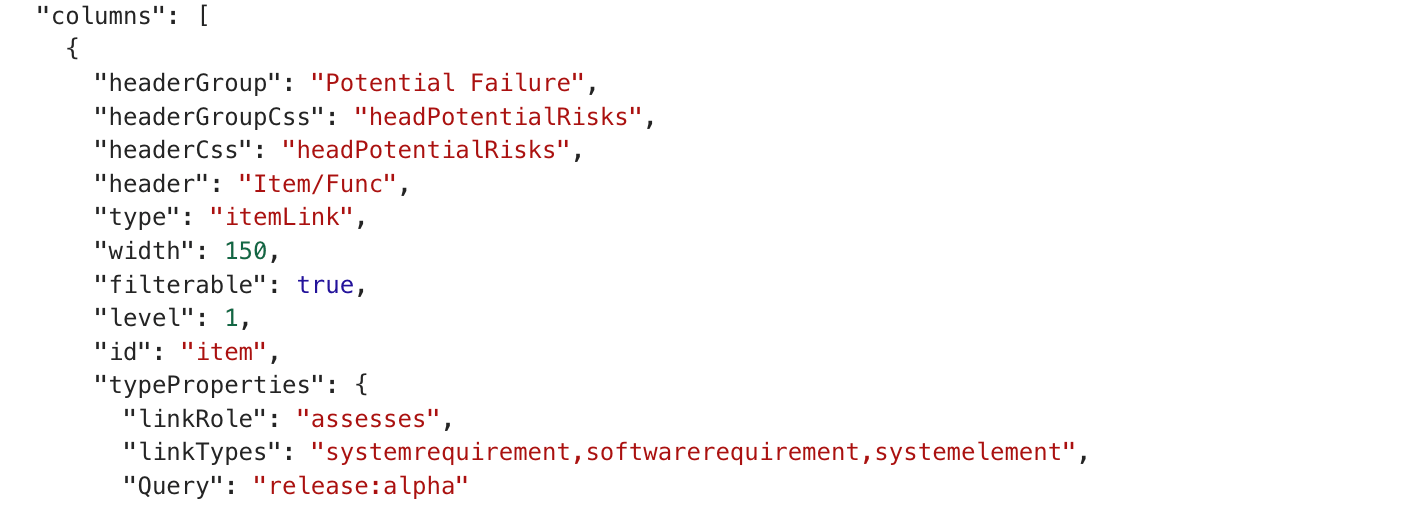 Set the properties that control column behavior:
| Property | Default | Description |
| ------------- | ------------------------------------------ | -------------------------------------------------------------- |
| `id` | Auto-generated from `header` or `bindings` | Unique identifier for the column |
| `bindings` | *(required)* | Polarion work item field name |
| `header` | *(required)* | Display text in column header |
| `type` | Auto-detected from bindings | Data type: `string`, `int`, `float`, `enum`, `date`, `boolean` |
| `width` | Auto | Column width in pixels |
| `readOnly` | `false` | Prevents editing when set to `true` |
| `visible` | `true` | Controls column visibility |
| `filterable` | `true` | Enables filtering by column values |
| `level` | `1` | Hierarchical level (1 = top level) |
| `headerGroup` | *(none)* | Groups columns under a shared header |
Set the properties that control column behavior:
| Property | Default | Description |
| ------------- | ------------------------------------------ | -------------------------------------------------------------- |
| `id` | Auto-generated from `header` or `bindings` | Unique identifier for the column |
| `bindings` | *(required)* | Polarion work item field name |
| `header` | *(required)* | Display text in column header |
| `type` | Auto-detected from bindings | Data type: `string`, `int`, `float`, `enum`, `date`, `boolean` |
| `width` | Auto | Column width in pixels |
| `readOnly` | `false` | Prevents editing when set to `true` |
| `visible` | `true` | Controls column visibility |
| `filterable` | `true` | Enables filtering by column values |
| `level` | `1` | Hierarchical level (1 = top level) |
| `headerGroup` | *(none)* | Groups columns under a shared header |
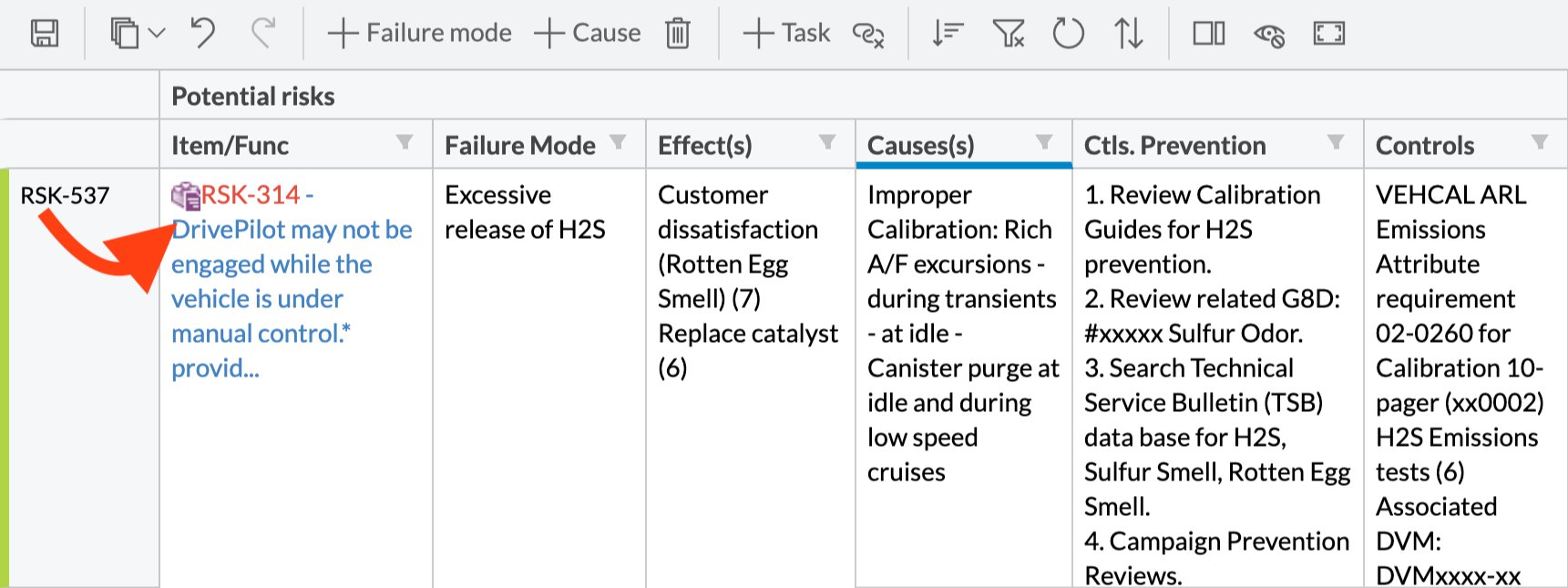
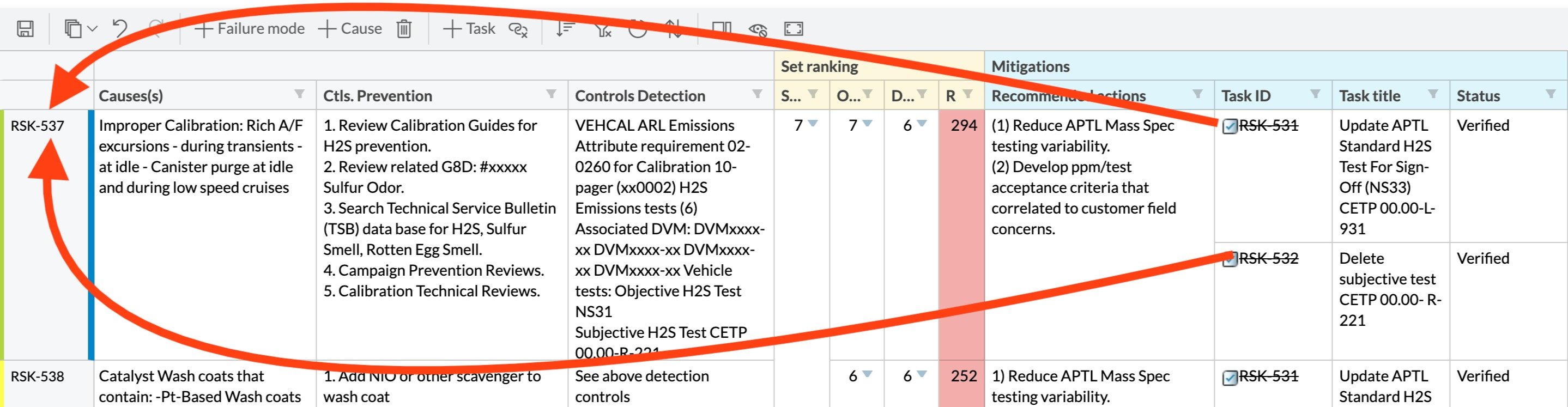 Use `headerGroup` to organize columns under a shared group header:
```yaml theme={null}
{
"columns": [
{
"id": "sev",
"bindings": "severity",
"header": "S",
"headerGroup": "Initial Rating",
"type": "rating:severity",
"width": 60
},
{
"id": "occ",
"bindings": "occurrence",
"header": "O",
"headerGroup": "Initial Rating",
"type": "rating:occurrence",
"width": 60
},
{
"id": "det",
"bindings": "detection",
"header": "D",
"headerGroup": "Initial Rating",
"type": "rating:detection",
"width": 60
}
]
}
```
The group header height is controlled by `headers.columnGroupHeader.height` (default: `32` pixels).
If you omit the `type` property, Risksheet automatically detects the type from the Polarion field definition. For standard Polarion fields like `description`, `title`, or `severity`, auto-detection works reliably. Explicitly set `type` when binding to custom fields or when you want to override the default rendering.
Certain columns become read-only automatically:
* Columns with a `formula` property
* Columns with a `serverRender` property
* System fields: `id`, `status`, `type`, `project`, `outlineNumber`
* Fields where Polarion permissions deny modification
To make a column explicitly non-editable:
```yaml theme={null}
{
"id": "riskCategory",
"bindings": "riskCategory",
"header": "Category",
"readOnly": true
}
```
## Verification
Reload your Risksheet page after saving the configuration. You should now see the new column in the grid with the specified header text. Click on a cell in the column to verify it is editable (unless marked `readOnly`).
## See Also
* [Column Configuration](/risksheet/guides/columns/index) -- overview of all column configuration options
* [Configure Calculated Columns](/risksheet/guides/columns/calculated-columns) -- add formula-driven columns
* [Control Column Visibility](/risksheet/guides/columns/column-visibility) -- show and hide columns
* [Configure Enum Columns](/risksheet/guides/columns/enum-columns) -- set up dropdown columns
* [Add Header Tooltips](/risksheet/guides/styling/header-tooltips) -- add descriptions to column headers
Use `headerGroup` to organize columns under a shared group header:
```yaml theme={null}
{
"columns": [
{
"id": "sev",
"bindings": "severity",
"header": "S",
"headerGroup": "Initial Rating",
"type": "rating:severity",
"width": 60
},
{
"id": "occ",
"bindings": "occurrence",
"header": "O",
"headerGroup": "Initial Rating",
"type": "rating:occurrence",
"width": 60
},
{
"id": "det",
"bindings": "detection",
"header": "D",
"headerGroup": "Initial Rating",
"type": "rating:detection",
"width": 60
}
]
}
```
The group header height is controlled by `headers.columnGroupHeader.height` (default: `32` pixels).
If you omit the `type` property, Risksheet automatically detects the type from the Polarion field definition. For standard Polarion fields like `description`, `title`, or `severity`, auto-detection works reliably. Explicitly set `type` when binding to custom fields or when you want to override the default rendering.
Certain columns become read-only automatically:
* Columns with a `formula` property
* Columns with a `serverRender` property
* System fields: `id`, `status`, `type`, `project`, `outlineNumber`
* Fields where Polarion permissions deny modification
To make a column explicitly non-editable:
```yaml theme={null}
{
"id": "riskCategory",
"bindings": "riskCategory",
"header": "Category",
"readOnly": true
}
```
## Verification
Reload your Risksheet page after saving the configuration. You should now see the new column in the grid with the specified header text. Click on a cell in the column to verify it is editable (unless marked `readOnly`).
## See Also
* [Column Configuration](/risksheet/guides/columns/index) -- overview of all column configuration options
* [Configure Calculated Columns](/risksheet/guides/columns/calculated-columns) -- add formula-driven columns
* [Control Column Visibility](/risksheet/guides/columns/column-visibility) -- show and hide columns
* [Configure Enum Columns](/risksheet/guides/columns/enum-columns) -- set up dropdown columns
* [Add Header Tooltips](/risksheet/guides/styling/header-tooltips) -- add descriptions to column headers