Last reviewed on {formatted}
; }; ## Progress Data Model The Gantt chart stores progress as a float value between `0.0` (no progress) and `1.0` (complete). The progress column in the grid displays this as a percentage (0-100). The default Progress Field widget parameter is `gantt_progress`. ## Calculate Progress from Time Estimates
This script computes progress as `timeSpent / (remainingEstimate + timeSpent)` and automatically sets resolved items to 100%.
In **Widget Parameters > Advanced > Item Script**:
```javascript theme={null}
if(wi.getType().getId() === 'workpackage'){
var all = (wi.getRemainingEstimate() != null
? wi.getRemainingEstimate().getHours() : 0)
+ (wi.getTimeSpent() != null
? wi.getTimeSpent().getHours() : 0);
var done = (wi.getTimeSpent() != null
? wi.getTimeSpent().getHours() : 0);
if(wi.getResolution() != null){
task.progress = 1;
} else if(all == 0){
task.progress = 0;
} else {
task.progress = done / all;
}
var progressString = (wi.getTimeSpent() != null ? wi.getTimeSpent() : "0h")
+ " | "
+ (wi.getRemainingEstimate() != null ? wi.getRemainingEstimate() : "0h")
+ " (" + Math.round(task.progress * 100) + " %)";
task.getFields().put("progressString", progressString);
}
```
## Calculate Progress from Time Estimates
This script computes progress as `timeSpent / (remainingEstimate + timeSpent)` and automatically sets resolved items to 100%.
In **Widget Parameters > Advanced > Item Script**:
```javascript theme={null}
if(wi.getType().getId() === 'workpackage'){
var all = (wi.getRemainingEstimate() != null
? wi.getRemainingEstimate().getHours() : 0)
+ (wi.getTimeSpent() != null
? wi.getTimeSpent().getHours() : 0);
var done = (wi.getTimeSpent() != null
? wi.getTimeSpent().getHours() : 0);
if(wi.getResolution() != null){
task.progress = 1;
} else if(all == 0){
task.progress = 0;
} else {
task.progress = done / all;
}
var progressString = (wi.getTimeSpent() != null ? wi.getTimeSpent() : "0h")
+ " | "
+ (wi.getRemainingEstimate() != null ? wi.getRemainingEstimate() : "0h")
+ " (" + Math.round(task.progress * 100) + " %)";
task.getFields().put("progressString", progressString);
}
```
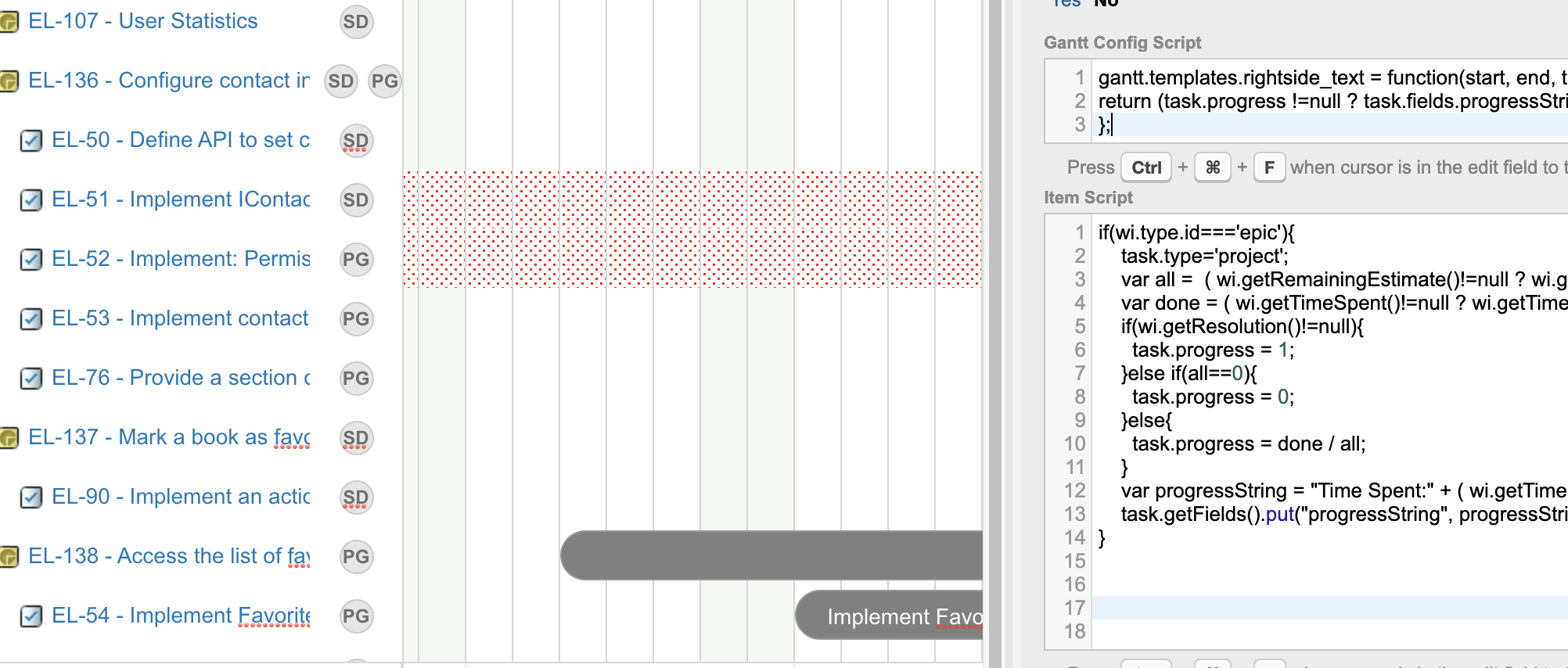 ## Calculate Epic Progress from Children
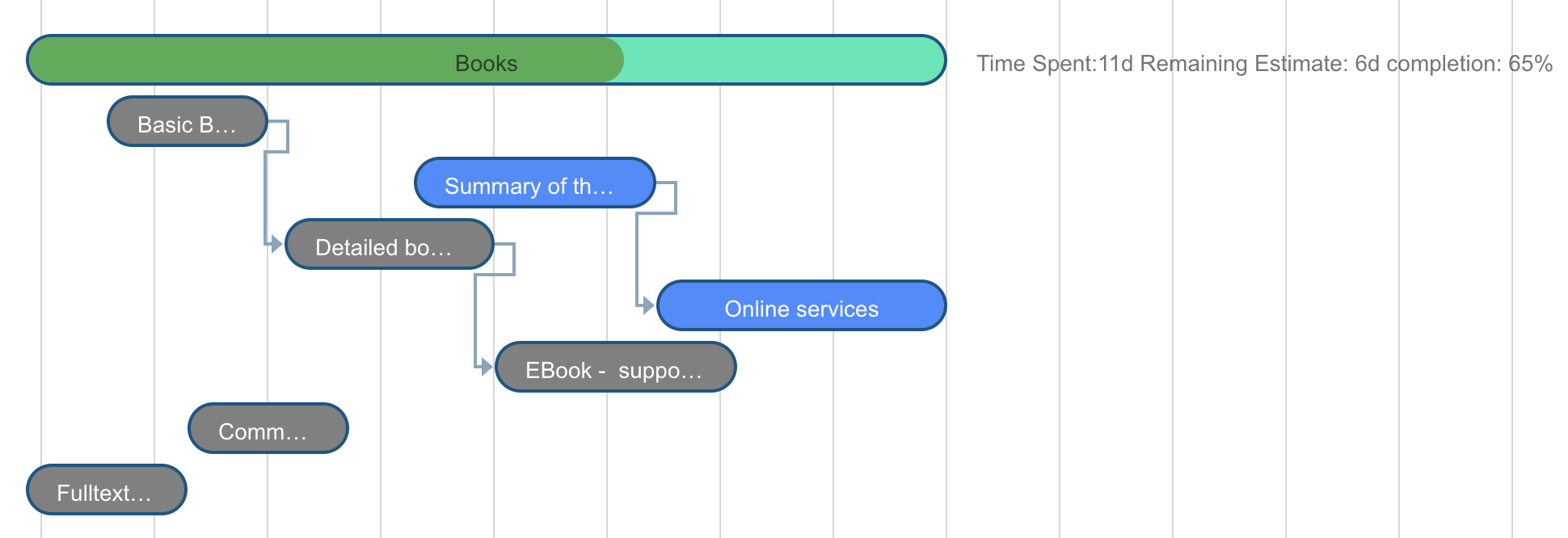
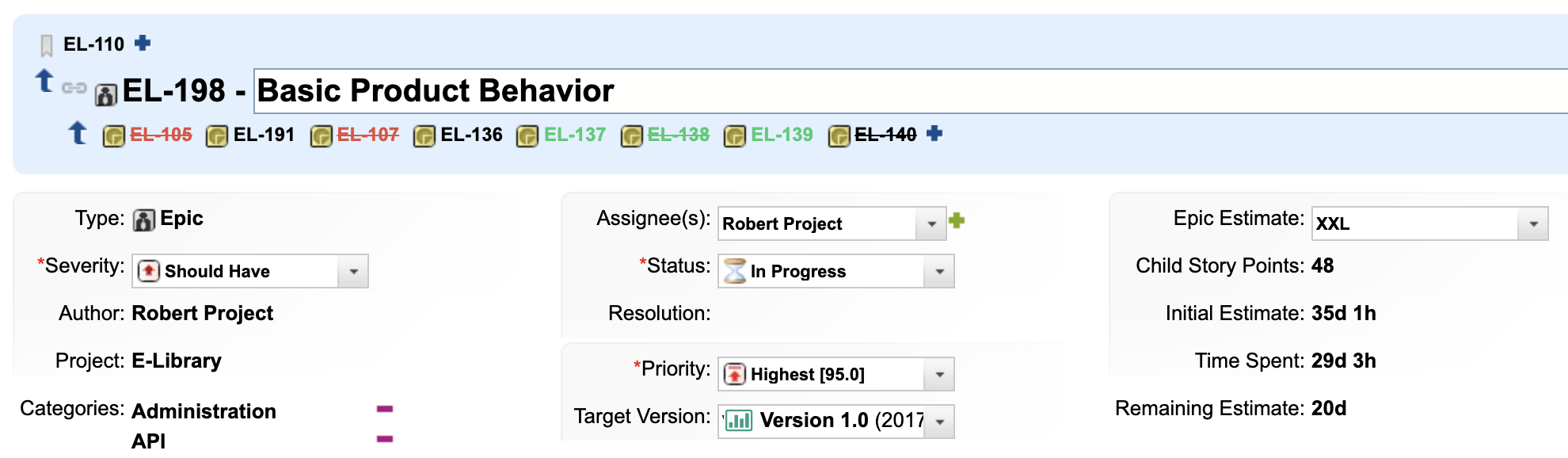
For epic-level items where time estimates are derived from child stories:
## Calculate Epic Progress from Children
For epic-level items where time estimates are derived from child stories:
 ```javascript theme={null}
if(wi.getType().getId() === 'epic'){
task.type = 'project';
var all = (wi.getRemainingEstimate() != null
? wi.getRemainingEstimate().getHours() : 0)
+ (wi.getTimeSpent() != null
? wi.getTimeSpent().getHours() : 0);
var done = (wi.getTimeSpent() != null
? wi.getTimeSpent().getHours() : 0);
if(wi.getResolution() != null){
task.progress = 1;
} else if(all == 0){
task.progress = 0;
} else {
task.progress = done / all;
}
var progressString = "Time Spent:"
+ (wi.getTimeSpent() != null ? wi.getTimeSpent() : "0h")
+ " Remaining: "
+ (wi.getRemainingEstimate() != null ? wi.getRemainingEstimate() : "0h")
+ " (" + Math.round(task.progress * 100) + "%)";
task.getFields().put("progressString", progressString);
}
```
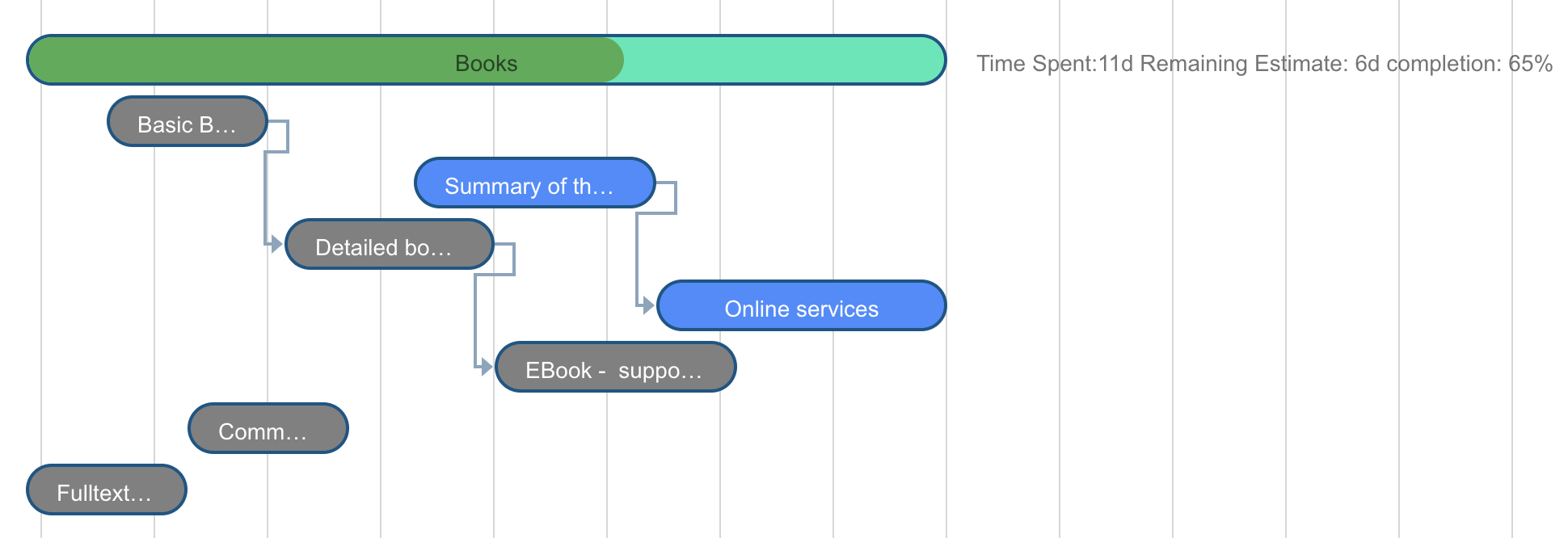
Setting `task.type = 'project'` renders the epic as a summary bar with its schedule derived from children.
```javascript theme={null}
if(wi.getType().getId() === 'epic'){
task.type = 'project';
var all = (wi.getRemainingEstimate() != null
? wi.getRemainingEstimate().getHours() : 0)
+ (wi.getTimeSpent() != null
? wi.getTimeSpent().getHours() : 0);
var done = (wi.getTimeSpent() != null
? wi.getTimeSpent().getHours() : 0);
if(wi.getResolution() != null){
task.progress = 1;
} else if(all == 0){
task.progress = 0;
} else {
task.progress = done / all;
}
var progressString = "Time Spent:"
+ (wi.getTimeSpent() != null ? wi.getTimeSpent() : "0h")
+ " Remaining: "
+ (wi.getRemainingEstimate() != null ? wi.getRemainingEstimate() : "0h")
+ " (" + Math.round(task.progress * 100) + "%)";
task.getFields().put("progressString", progressString);
}
```
Setting `task.type = 'project'` renders the epic as a summary bar with its schedule derived from children.
 ## Calculate Plan Progress from Resolved Items
For Plans Gantt, compute progress as the ratio of resolved to total work items in a plan. In **Item Script**:
```javascript theme={null}
var allitems = trackerService.queryWorkItems(
"PLAN:(" + plan.getProjectId() + "/" + plan.getId() + ")", "id").size();
var openitems = trackerService.queryWorkItems(
"PLAN:(" + plan.getProjectId() + "/" + plan.getId()
+ ") AND HAS_VALUE:resolution", "id").size();
if(allitems > 0){
task.progress = openitems / allitems;
} else {
task.progress = 0;
}
task.getFields().put("progressString", openitems + " / " + allitems + " done");
```
## Calculate Plan Progress from Resolved Items
For Plans Gantt, compute progress as the ratio of resolved to total work items in a plan. In **Item Script**:
```javascript theme={null}
var allitems = trackerService.queryWorkItems(
"PLAN:(" + plan.getProjectId() + "/" + plan.getId() + ")", "id").size();
var openitems = trackerService.queryWorkItems(
"PLAN:(" + plan.getProjectId() + "/" + plan.getId()
+ ") AND HAS_VALUE:resolution", "id").size();
if(allitems > 0){
task.progress = openitems / allitems;
} else {
task.progress = 0;
}
task.getFields().put("progressString", openitems + " / " + allitems + " done");
```