Last reviewed on {formatted}
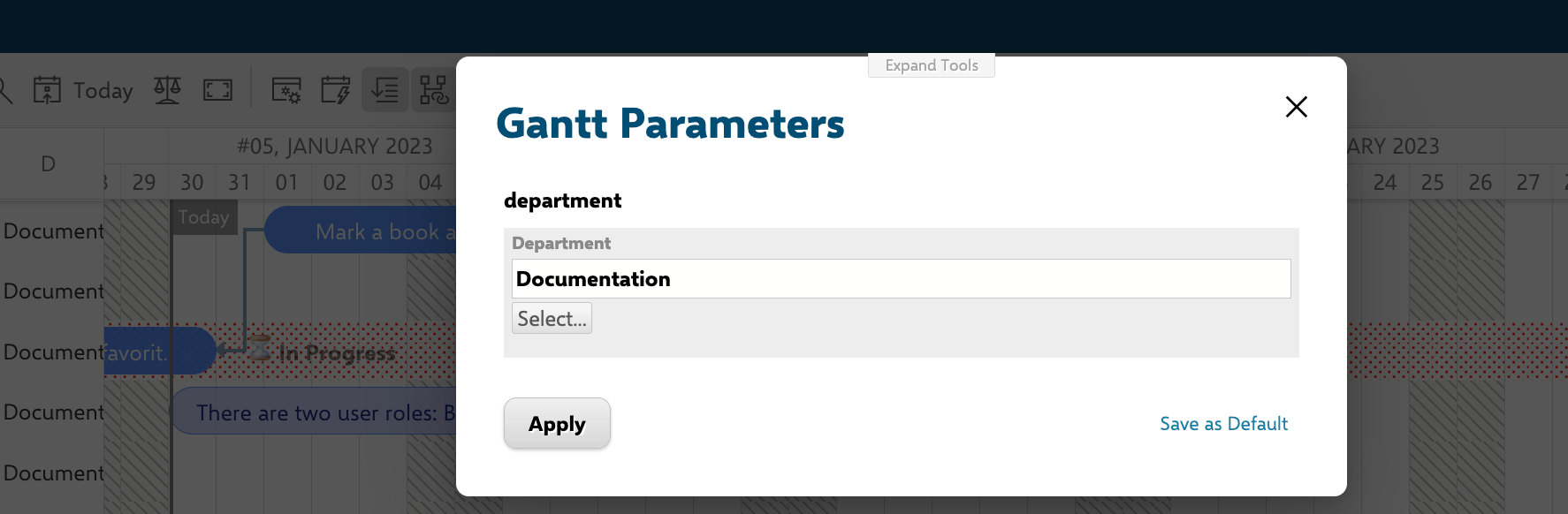
; }; ## How Page Scripts Work Page scripts run on the Polarion server using the Apache Velocity template engine. The rendered output is then embedded into the Gantt widget as JavaScript. This means you can use Velocity expressions to access Polarion data (projects, users, plans, work items) and inject dynamic values into the Gantt configuration. A common use is a page script that reads a page parameter (for example a `department` parameter) and injects it into the widget's query so the Gantt shows only the matching work items:
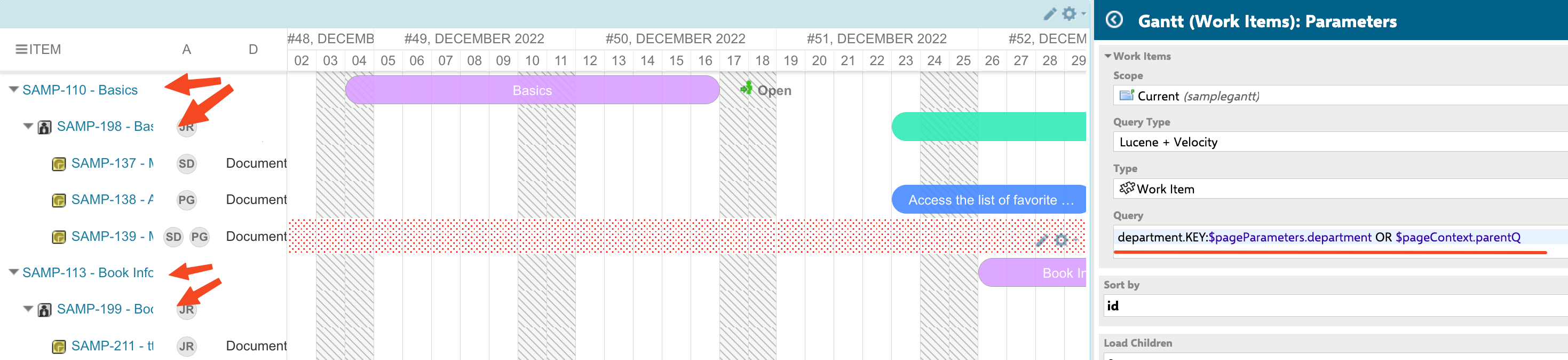
 A page script can also walk up the parent hierarchy and add the parents of the selected items to the chart, using `$pageContext` to pass the assembled query back to the widget's Query field:
 ## Available Velocity Context Variables
The following objects are available inside page scripts:
| Variable | Type | Purpose |
| ----------------- | ---------------- | --------------------------- |
| `$project` | Polarion project | Current project reference |
| `$user` | Polarion user | Current logged-in user |
| `$trackerService` | Polarion service | Query work items and plans |
| `$page` | Wiki page | Current page reference |
| `config` | Gantt config | Widget configuration object |
| `markerFactory` | Marker factory | Create timeline markers |
## Create a Baseline Comparison Page
This example creates a portal page that lists project baselines and opens the Gantt chart with a comparison overlay.
1. Add a page parameter named `baselineRevision` of type **string** to your Gantt report page.
2. In **Widget Parameters > Advanced > Item Script**, add the baseline loading logic:
```javascript theme={null}
var revision = config.getPageParameters().get("baselineRevision");
if(revision && revision.length > 0){
var origWi = wi.getDataSvc().getVersionedInstance(wi.uri, revision);
task.planned_start_date = util.getDate(origWi, "start");
task.planned_duration = util.getDuration(origWi, "initialEstimate");
}
```
3. Create a separate Wiki page with this Velocity snippet to list baselines:
```velocity theme={null}
#set($projectId = $page.reference.projectId)
#set($ganttPagePath = "/project/$projectId/wiki/Planning/Gantt")
#set($project = $trackerService.getTrackerProject($projectId))
<ul>
#foreach($b in $project.baselinesManager.baselines)
<li>
<a target="_blank"
href="/gantt/polarion/#$ganttPagePath?baselineRevision=$b.getBaseRevision()">
$b.name - $b.getBaseRevision()
</a>
<br/>$b.baseRevisionObject.created
</li>
#end
</ul>
```
## Available Velocity Context Variables
The following objects are available inside page scripts:
| Variable | Type | Purpose |
| ----------------- | ---------------- | --------------------------- |
| `$project` | Polarion project | Current project reference |
| `$user` | Polarion user | Current logged-in user |
| `$trackerService` | Polarion service | Query work items and plans |
| `$page` | Wiki page | Current page reference |
| `config` | Gantt config | Widget configuration object |
| `markerFactory` | Marker factory | Create timeline markers |
## Create a Baseline Comparison Page
This example creates a portal page that lists project baselines and opens the Gantt chart with a comparison overlay.
1. Add a page parameter named `baselineRevision` of type **string** to your Gantt report page.
2. In **Widget Parameters > Advanced > Item Script**, add the baseline loading logic:
```javascript theme={null}
var revision = config.getPageParameters().get("baselineRevision");
if(revision && revision.length > 0){
var origWi = wi.getDataSvc().getVersionedInstance(wi.uri, revision);
task.planned_start_date = util.getDate(origWi, "start");
task.planned_duration = util.getDuration(origWi, "initialEstimate");
}
```
3. Create a separate Wiki page with this Velocity snippet to list baselines:
```velocity theme={null}
#set($projectId = $page.reference.projectId)
#set($ganttPagePath = "/project/$projectId/wiki/Planning/Gantt")
#set($project = $trackerService.getTrackerProject($projectId))
<ul>
#foreach($b in $project.baselinesManager.baselines)
<li>
<a target="_blank"
href="/gantt/polarion/#$ganttPagePath?baselineRevision=$b.getBaseRevision()">
$b.name - $b.getBaseRevision()
</a>
<br/>$b.baseRevisionObject.created
</li>
#end
</ul>
```